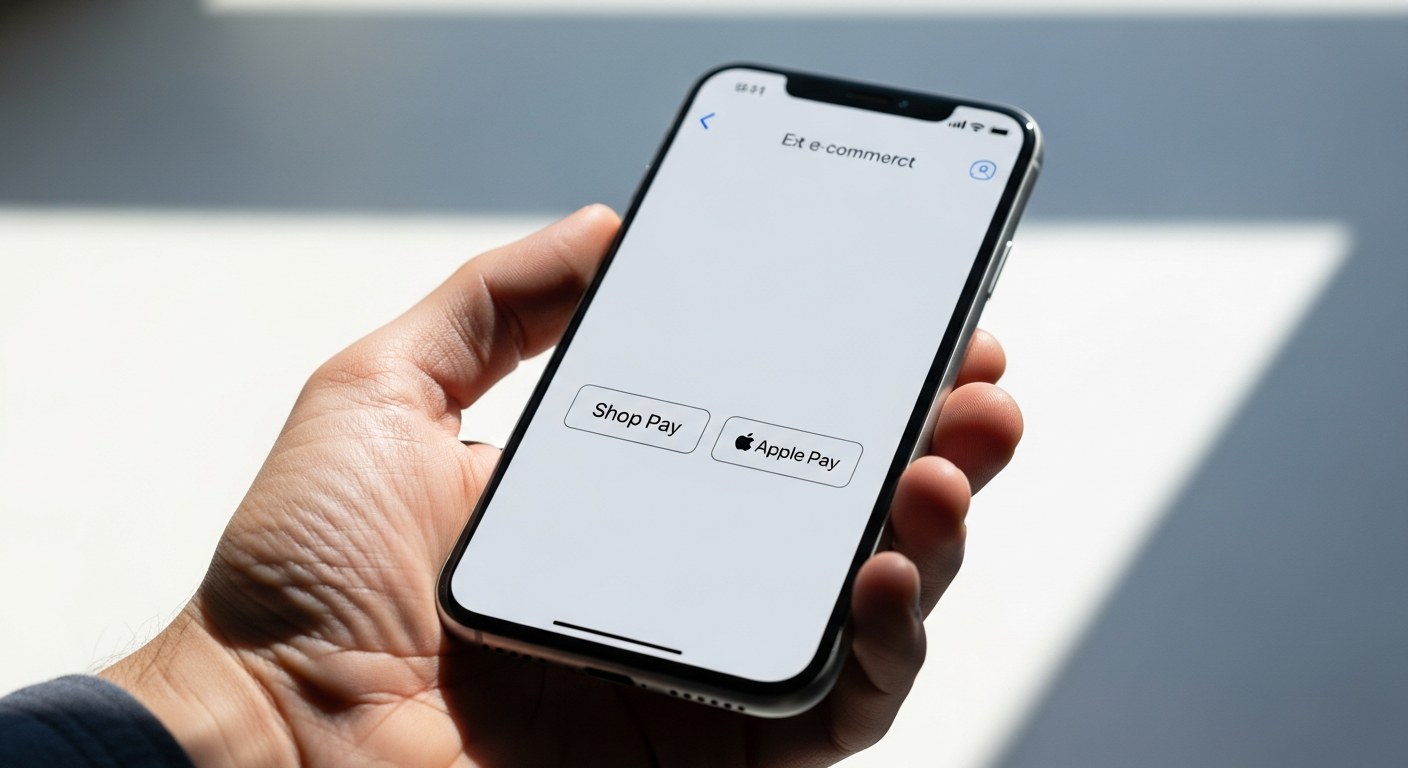
Mobile Checkout Optimization: Fix the Conversion Gap
Mobile checkout optimization ecommerce is the practice of reducing friction in the mobile purchase flow so that your conversion rate matches the intent of your traffic. Mobile now accounts for the majority of ecommerce traffic on most Shopify stores, yet converts at just 1.8–2.5% versus desktop's 3–4.5% (Mida App, March 2026). The fix isn't more traffic — it's engineering the checkout experience for the device your customers are actually using.
- Mobile traffic exceeds desktop on most Shopify stores in 2026, but converts at half the rate — a gap driven by engineering debt, not audience quality.
- Enabling Shop Pay, Apple Pay, and Google Pay is the single highest-ROI mobile checkout fix — typically delivering a 15–25% CVR lift.
- Slow LCP (above 2.5s) and poorly sized form fields are the two most common technical causes of mobile checkout abandonment.
- A custom mobile app eliminates browser-based friction entirely and is the right investment for brands with high repeat purchase rates.
- The 20-point audit checklist in this post covers every layer: speed, UX, payment, and checkout flow structure.
The Mobile Conversion Gap Is a Revenue Leak (Not a Traffic Problem)
Most ecommerce brands treat their mobile conversion rate as a fixed constraint — a number that's lower than desktop and always will be. That framing is wrong, and it's costing real money.
If your store does $1M/year and 60% of traffic is mobile, closing even half the gap between your mobile and desktop CVR would add $80,000–$150,000 in annual revenue without a single additional visitor. That's the math that reframes mobile checkout optimization from a nice-to-have to a core revenue lever.
The gap exists because most Shopify stores were built desktop-first and the checkout experience was never re-engineered for touch, thumb navigation, and mobile network speeds. The problem isn't your audience — it's your checkout. And unlike traffic quality or product-market fit, checkout engineering is entirely within your control.
Why Mobile Checkout Converts at Half the Rate of Desktop
The conversion gap isn't mysterious. It's the result of five compounding friction points that desktop users don't face:
1. Page load speed. Mobile users are often on LTE or 5G networks that are fast but inconsistent. Unoptimized images, render-blocking scripts, and theme bloat that loads acceptably at 50Mbps on a laptop becomes a 4–6 second LCP on a mobile network. Shoppers don't wait — they leave.
2. Form entry friction. Typing a 16-digit card number, expiration date, CVV, billing address, and shipping address on a mobile keyboard is painful. Multi-step checkout forms that work fine on a keyboard are a conversion-killer on touch. The average mobile checkout form has 12–16 required fields — each one is a dropout opportunity.
3. Thumb reach dead zones. Most mobile checkout UIs were designed for desktop and then made responsive. That means tap targets, buttons, and CTAs often land outside the natural thumb reach zone on a 6-inch screen, causing accidental taps, mis-clicks, and frustration-driven exits.
4. Trust signal gaps. Security badges, return policy summaries, and payment logos that are visible in a desktop checkout sidebar disappear or collapse on mobile, increasing purchase anxiety at the moment it matters most.
5. No digital wallet support. Shoppers who use Shop Pay, Apple Pay, or Google Pay regularly will abandon a checkout the moment they realize they have to type their card information. These wallets reduce checkout to two taps — their absence on mobile is a conversion-rate floor that keeps your numbers artificially low.
The 20-Point Mobile Checkout Audit Checklist
Run this audit against your current store before investing in any optimization work. Each item maps to a specific revenue leak.
| Area | Audit Point | Pass Condition |
|---|---|---|
| Speed | Mobile LCP (Largest Contentful Paint) | Under 2.5 seconds |
| Speed | Hero/product image file size | Under 150KB per image, WebP format |
| Speed | Third-party scripts on checkout page | Zero non-essential scripts |
| Speed | App count with storefront JS injection | Audit and remove unused apps |
| Speed | CLS (Cumulative Layout Shift) | Score below 0.1 |
| UX | CTA button size on mobile | Minimum 44×44px tap target |
| UX | Primary CTA placement (above fold) | Visible without scrolling on 375px viewport |
| UX | Form field input types | Correct type set (tel, email, number) for automatic keyboard |
| UX | Checkout step count | 3 steps maximum; single-page preferred |
| UX | Error message clarity | Inline, specific, non-blocking |
| UX | Autofill compatibility | All address fields support browser autofill |
| UX | Trust signals at payment step | SSL badge, return policy, accepted payments visible |
| Payment | Shop Pay enabled | Yes — highest-impact single fix |
| Payment | Apple Pay enabled | Yes — essential for iOS users |
| Payment | Google Pay enabled | Yes — essential for Android users |
| Payment | Buy Now Pay Later option (Afterpay / Klarna) | Present for AOV above $100 |
| Checkout | Guest checkout available | Yes — account creation must be optional |
| Checkout | Cart persistence | Cart survives tab close and return within 24h |
| Checkout | Mobile-specific exit intent | SMS capture or discount trigger on exit |
| Checkout | Post-purchase upsell (Checkout Extensibility) | In place for relevant SKU combinations |
Stores that fail 8 or more of these 20 points have significant recoverable revenue. Start with the payment and speed categories — they consistently deliver the highest and fastest conversion lifts.
Speed Fixes: Core Web Vitals and Mobile Page Performance
Shopify's hosting infrastructure handles server response time — that's not where mobile speed problems originate. The culprits are almost always in your theme, your images, and your installed apps.
Image optimization is the most impactful single fix. A Shopify store with unoptimized product images commonly loads 1.5–3MB of image data above the fold on mobile. Converting hero and product images to WebP and capping them at 150KB reduces LCP by 1–2 seconds on its own. Use Shopify's native image CDN with `image_url` filters to serve responsive sizes automatically.
App script audit. Every installed Shopify app that injects JavaScript into your storefront adds to your page load budget. A store with 20+ apps often has 400–800KB of third-party scripts loading synchronously on every page view. Open your browser developer tools, check the Network tab filtered to JS, and identify which apps are contributing most. Removing or deferring even 3–4 unused apps can reduce mobile load time by 1–2 seconds.
LCP targeting. Your LCP element is almost always a hero image or above-the-fold product photo. Add `loading="eager"` and `fetchpriority="high"` to that image specifically, and `loading="lazy"` to everything below the fold. This simple prioritization change often moves LCP from 3–4 seconds to under 2.5 seconds without any other modification.
UX Fixes: Thumb Navigation, Form Fields, and Friction Points
Once speed is addressed, UX friction is the next category with the most recoverable revenue. These fixes are lower-effort than engineering work but have significant conversion impact.
Thumb zones. On a standard 6-inch smartphone held in one hand, the natural thumb reach covers roughly the bottom two-thirds of the screen. Primary CTAs — Add to Cart, Proceed to Checkout, Place Order — should live in this zone. If your theme places the primary CTA at the top of the screen or requires scrolling to reach it, you're losing taps from the majority of single-handed users.
Form field types. Set every checkout form field to the correct HTML input type. Email fields should be `type="email"` (opens keyboard with @ key). Phone fields should be `type="tel"` (opens numeric dialpad). Card number fields should be `type="number"` with `inputmode="numeric"`. Getting these wrong means customers see a standard QWERTY keyboard where they should see a numpad — a small friction that adds seconds and frustration to every checkout.
Guest checkout. Requiring account creation before purchase is one of the most consistent conversion-killers in ecommerce. Baymard Institute research consistently ranks "forced account creation" in the top three reasons for checkout abandonment. Guest checkout must be the path of least resistance — account creation should be an optional prompt shown after purchase completion, not a gate before it.
Our team at Atlas's Shopify development practice includes a full mobile UX audit as part of our Shopify optimization engagements — specifically because these fixes are easy to miss and expensive to leave in place.
Payment Method Fixes: Why Shop Pay, Apple Pay, and Google Pay Close the Gap
Digital wallets are the single highest-ROI mobile checkout fix available to any Shopify merchant. The reason is structural: they eliminate the form-filling step entirely for repeat users, reducing checkout to a biometric confirmation and two taps.
Shop Pay reduces checkout completion time by approximately 60% for returning Shopify customers — not because it's faster at typing, but because it stores all credentials and auto-populates them. For any customer who has checked out at any Shopify store before, Shop Pay can prefill their name, address, email, and payment method with zero manual input.
Apple Pay and Google Pay add the same capability for customers using their device wallet. Combined, these three payment methods cover the overwhelming majority of mobile users. Brands that enable all three consistently report a 15–25% increase in mobile checkout conversion versus stores offering only card entry.
| Payment Method | Coverage | Checkout Steps | Impact on Mobile CVR |
|---|---|---|---|
| Standard card form | All users | 12–16 fields | Baseline |
| Shop Pay | All Shopify stores, returning users | 2 taps | +15–25% lift typical |
| Apple Pay | iOS Safari users | 1 Face/Touch ID | Highest lift for iOS traffic |
| Google Pay | Android Chrome users | 1 fingerprint | Highest lift for Android traffic |
| BNPL (Afterpay/Klarna) | AOV-sensitive segments | Varies | +8–15% for AOV above $100 |
Enabling all three wallets is free and requires only toggling on the Shopify Payments settings page. There is no technical justification for a store not having these active in 2026.
When a Custom Mobile App Beats a Shopify-Optimized Browser Experience
Browser-based Shopify checkout, even when fully optimized, operates within constraints that native apps don't face. Browser address bars, cookie permission prompts, and the latency of web rendering are baked into the experience regardless of how well you tune it. If you're evaluating the app route, our guide to ecommerce app features that drive conversions covers which checkout and personalization capabilities move the needle most in 2026.
A custom mobile app eliminates all of those constraints. It also unlocks capabilities that browser checkout can't match: push notifications for cart recovery (which convert at 3–5x the rate of email cart abandonment flows), biometric-secured one-tap checkout on every subsequent visit, offline browsing of product catalog, and fully custom checkout UX that no Shopify theme can replicate.
The right time to invest in a custom app is when your data supports it. Specifically: when your repurchase rate is 30% or higher, meaning a significant share of your revenue already comes from returning buyers who would benefit from saved credentials and push notifications. At that point, the install hurdle is worth clearing — your best customers will install and use the app, and their conversion rate on native will outperform browser by 20–40%.
For brands under $1M/year or with repurchase rates below 25%, a fully optimized Shopify mobile checkout is the better investment. For brands crossing $2M+ with strong retention metrics, a native app built by an experienced ecommerce app development team pays for itself quickly.
How Atlas Builds Mobile Checkout Experiences That Convert
We've done enough mobile checkout audits to know where the revenue is hiding. It's almost never in a new app or a theme redesign — it's in the combination of digital wallets not enabled, images not compressed, and form fields that open the wrong keyboard. The 20-point checklist above will find the problems on any store in about an hour.
For brands that want to go further, our team builds custom Shopify checkout experiences using Checkout Extensibility — adding trust signals, post-purchase upsells, and loyalty integrations directly inside Shopify's checkout flow without violating Shopify's terms or breaking upgrade compatibility. We also build native iOS and Android apps for Shopify stores with the retention metrics to support the investment.
The combination of Shopify development and custom app development under one team means the checkout experience across web and native stays consistent — same logic, same product data, same brand feel, whether a customer is checking out on Safari or in your branded app.
Frequently Asked Questions
What is a good mobile checkout conversion rate for ecommerce?
The average mobile checkout conversion rate for ecommerce sits between 1.8% and 2.5% — roughly half the 3–4.5% conversion rate typical of desktop (Mida App, March 2026). Stores with optimized mobile checkout experiences using digital wallets like Shop Pay, Apple Pay, and Google Pay consistently push mobile CVR past 3%. If your mobile conversion rate is below 1.5%, checkout friction is almost certainly the primary cause, not traffic quality.
Why does mobile convert worse than desktop on Shopify?
Mobile converts worse than desktop primarily because most Shopify stores were built with a desktop-first mindset and the checkout experience was never rebuilt for touch navigation, thumb reach, and small screens. The specific culprits are slow page load times on mobile networks, multi-step checkout forms with small tap targets, lack of digital wallet support, and browser-based checkout friction that native apps eliminate entirely. These are engineering and UX problems, not traffic problems — and they're fixable.
Does Shop Pay really improve mobile conversion rates?
Yes, meaningfully. Shop Pay reduces checkout completion time by approximately 60% compared to a standard multi-field form, which directly addresses the highest-friction point in the mobile purchase journey: entering 12–16 form fields on a small keyboard. For returning customers, Shop Pay saves all payment and shipping details, reducing checkout to two taps. Brands enabling Shop Pay alongside Apple Pay and Google Pay typically see a 15–25% improvement in mobile checkout conversion — the lift is largest among mobile users who had previously abandoned at the payment step.
When does a custom mobile app outperform a Shopify mobile browser experience?
A custom mobile app consistently outperforms a Shopify browser experience when your repurchase rate is high enough to justify the install ask — typically when 30% or more of your revenue comes from repeat buyers. Native apps eliminate the browser address bar, cookie friction, and form re-entry that degrade browser checkout. They also support push notifications for cart recovery, faster load times via local caching, and fully custom UX that no Shopify theme can match. For brands generating $2M or more annually with strong retention metrics, a custom app is usually the highest-ROI mobile investment available.
What are the most impactful mobile checkout fixes for a Shopify store?
The highest-impact fixes in order of priority are: (1) enable Shop Pay, Apple Pay, and Google Pay — this single change often delivers a 15–25% mobile CVR lift; (2) compress and properly size hero and product images to reduce mobile LCP below 2.5 seconds; (3) audit installed apps and remove any that add JavaScript to the checkout or product page load; (4) switch to a single-page or accelerated checkout flow if you're currently on a multi-step layout; and (5) set all form fields to the correct mobile input type so the appropriate keyboard appears automatically. These five fixes address 80% of mobile checkout revenue leakage for most Shopify stores.
Ready to Close the Mobile Conversion Gap?
Our team at Atlas runs full mobile checkout audits and builds the fixes — from digital wallet setup and image optimization to custom Checkout Extensibility and native mobile apps. If your mobile CVR is trailing desktop, there's recoverable revenue waiting.
Explore Shopify Development →For a prioritized list of conversion improvements, our ecommerce CRO audit: 10 fixes that lift conversions covers 10 specific fixes ranked by expected lift and implementation effort.