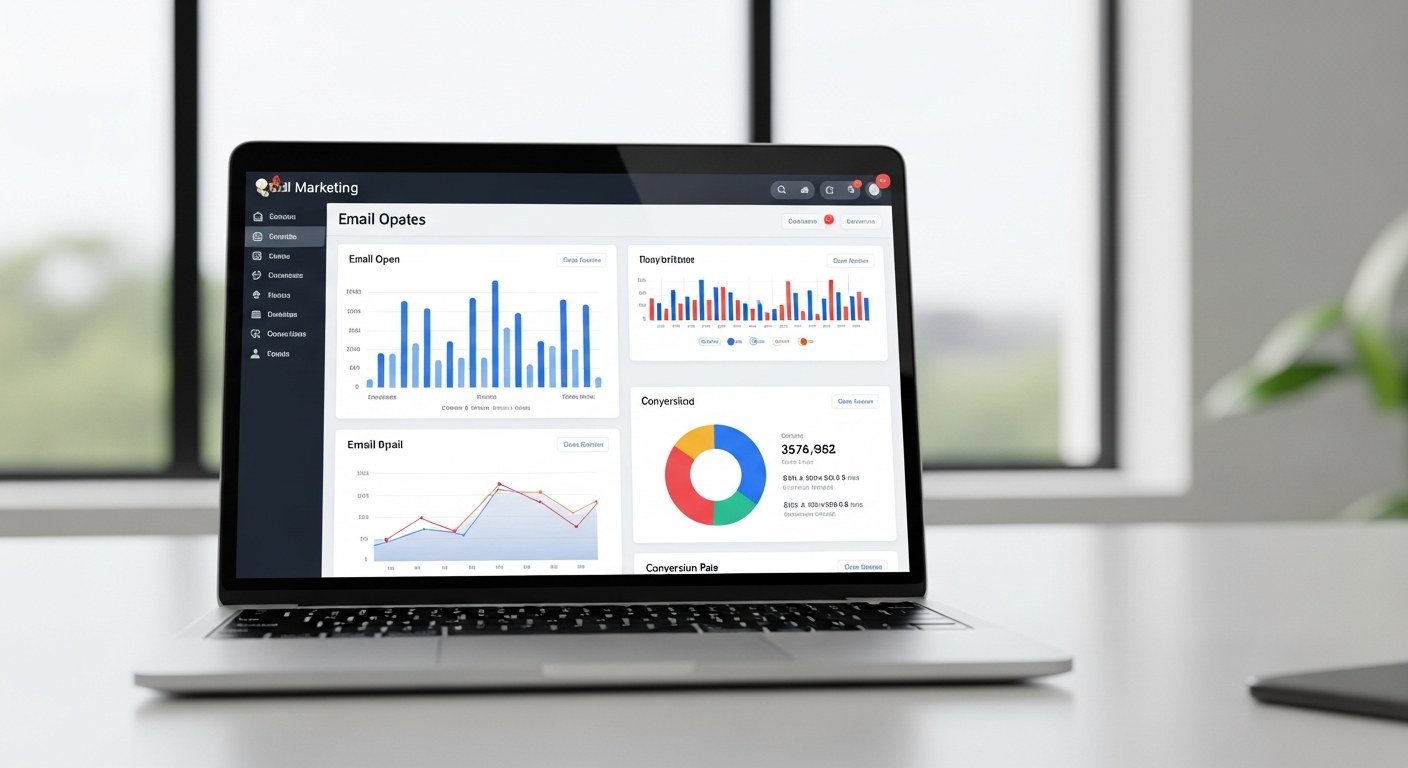
Klaviyo Composer AI email marketing is a generative AI tool that creates complete, launch-ready email campaigns and flows directly inside Klaviyo — from a natural language prompt. Instead of building segments, writing copy, and configuring send logic one piece at a time, you describe what you want, and Composer scaffolds the entire campaign structure. For ecommerce brands managing Klaviyo at scale, this is a meaningful workflow shift — not a gimmick. If you're already using AI for email, it's worth evaluating whether your product page copy is keeping pace: our comparison of AI product description generators for Shopify — Shopify Magic, ChatGPT, and Jasper — gives you the same tool-selection framework applied to catalog copy.
TL;DR — Key Takeaways
- Klaviyo Composer (launched Q1 2026) generates complete campaigns and flows from a text prompt, including segmentation logic, A/B test structure, and copy.
- AI Image Controls let you toggle AI-generated images on or off while preserving brand asset consistency.
- Composer excels at flow scaffolding, rapid content variation, and A/B test setup — not at nuanced brand voice or complex segmentation logic.
- The highest-performing teams use Composer to speed up the build, not to replace the strategy behind it.
- Klaviyo also added Flow Analytics Dashboard, multi-email profiles, and Instagram-to-email subscriber conversion in 2026 — each worth integrating into your workflow.
What Is Klaviyo Composer? (Beyond the Marketing Pitch)
Klaviyo Composer launched in Q1 2026 as a generative AI layer built directly into the Klaviyo platform. The pitch is straightforward: describe a campaign or flow in plain language, and Composer builds it — including the email content, subject lines, segmentation logic, send-time recommendations, and A/B test variants.
What it actually does in practice is more nuanced. Composer is best understood as an accelerator for the construction phase of email marketing — the part where you're translating a strategy decision into a working Klaviyo build. It compresses what used to take 2–4 hours of setup into 20–30 minutes of review and refinement.
What Composer is not: a strategy tool. It doesn't tell you which flows to build, which audiences to prioritize, or how to architect a retention program. Those decisions still require expertise. Composer executes on the brief — it doesn't write the brief.
The brands most effectively using Composer in 2026 are those that come in with a clear strategic framework and use Composer to build faster, test more variants, and free up their team for higher-order decisions.
What Composer Actually Builds: Campaigns, Flows, and Segments
Composer can generate three types of outputs inside Klaviyo:
Email Campaigns — one-off sends like promotions, product launches, and seasonal campaigns. Composer generates subject lines, preview text, body copy, and a suggested send segment. It produces multiple subject line variants for A/B testing from a single prompt.
Automated Flows — multi-step behavioral sequences like welcome series, abandoned cart, post-purchase, and win-back flows. Composer scaffolds the full flow: number of emails, delay timing between sends, conditional splits based on purchase behavior, and copy for each email in the sequence.
Segments — Composer interprets natural language segment descriptions ("customers who purchased in the last 90 days but haven't bought in the last 30 days") and translates them into Klaviyo segment logic. This is one of its more practically useful features for teams without deep Klaviyo technical expertise.
The output quality varies by use case. Campaign copy is serviceable but often requires brand voice editing. Flow scaffolding — the architecture of delays, splits, and sequencing — is where Composer adds the most consistent value, because structural decisions are less subjective than copy decisions.
AI Image Controls: How Brand Consistency Works in Composer
One of the more significant additions to Composer is AI Image Controls — the ability to toggle AI-generated images on or off within the email build, while keeping brand assets (logo, color palette, approved photography) intact.
This matters because one of the biggest risks of AI-generated email creative is brand drift: the AI produces images that look fine in isolation but don't match the visual identity your customers recognize. AI Image Controls give you a clear on/off switch. When toggled on, Composer generates contextually relevant images for the email. When toggled off, it pulls from your approved Klaviyo brand asset library.
In practice, AI Image Controls work well for informational and educational emails where a generic but relevant image is acceptable, testing phases where you want visual variety without a creative production bottleneck, and smaller teams without a dedicated design resource.
They're less appropriate for hero campaign emails where brand visuals are load-bearing for conversion, brand-sensitive announcements where consistency matters more than speed, and high-AOV product categories where premium photography signals quality.
The right posture: use AI Image Controls for speed in lower-stakes sends, and override with approved assets for your highest-volume, highest-stakes campaigns.
Where Composer Saves Real Time (With Honest Examples)
Here's where the time savings are real and repeatable:
Welcome Flow Scaffolding — Building a 5-email welcome series from scratch in Klaviyo involves setting up each email, configuring delay logic, adding conditional splits for purchasers vs. non-purchasers, and writing copy for each send. Composer does the structural scaffolding in minutes. Our team has seen welcome flow setup time drop from 3–4 hours to under an hour, with the remaining time spent on brand voice editing and logic refinement.
Subject Line A/B Testing — Composer generates 4–6 subject line variants per prompt, with preview text to match. For teams running A/B tests on every send, this eliminates the creative bottleneck that often causes teams to skip testing altogether.
Promotional Campaign Drafts — For recurring send types (flash sales, seasonal pushes, new arrival announcements), Composer produces a usable first draft significantly faster than starting from a blank template. The edit-to-done ratio is better than starting from scratch.
Rapid Flow Expansion — If you already have a working abandoned cart flow and want to add a browse abandonment flow or post-purchase upsell sequence, Composer builds the new flow quickly by referencing a similar structure.
| Task | Manual Time | With Composer | Time Saved |
|---|---|---|---|
| Welcome series scaffold (5 emails) | 3–4 hours | 45–60 min | ~70% |
| Promotional campaign draft | 60–90 min | 20–30 min | ~65% |
| Subject line A/B variants (6 options) | 30–45 min | 5–10 min | ~80% |
| Segment creation (complex logic) | 30–60 min | 10–20 min | ~60% |
| Abandoned cart flow (3 emails) | 2–3 hours | 30–45 min | ~70% |
Where Human Judgment Still Wins Over Composer
Composer has clear limits. Knowing them prevents teams from over-relying on it in situations where it will underdeliver.
Brand Voice Specificity — Composer writes in a competent but generic email marketing register. If your brand has a distinct personality — dry humor, aggressive directness, a particular cultural tone — Composer's first draft will sound like a capable contractor, not a native speaker. You'll spend editing time bringing it back to voice. For brands with strong voice, the draft-and-edit workflow can sometimes take longer than writing from scratch.
Complex Segmentation Architecture — Composer handles straightforward segment logic well. Multi-condition segments with behavioral, purchase frequency, and RFM layers require manual configuration. Composer's output for complex segments often needs significant revision before it reflects the actual intent.
High-Stakes Campaign Strategy — For your highest-volume campaigns — Black Friday, annual sale events, major product launches — the strategic decisions around sequencing, suppression, timing, and audience tiers are too consequential to delegate to AI generation. Composer can draft copy for these campaigns; it shouldn't be driving the campaign architecture.
Deliverability-Sensitive Decisions — Sender reputation management, list hygiene strategy, re-engagement suppression logic, and warm-up sequences require human judgment informed by your specific account health. Composer doesn't have visibility into your sender reputation or historical engagement data in a way that would make its recommendations reliable here.
Composer + Manual Setup: The Hybrid Workflow That Works
The highest-performing email programs aren't choosing between Composer and manual Klaviyo setup — they're using both in the right sequence.
Step 1: Strategy first, manually. Define the flow architecture, audience tiers, suppression logic, and conversion goals before opening Composer. This takes the same amount of time it always did — and it has to.
Step 2: Use Composer for structural scaffolding. Feed the strategic brief into Composer and let it build the flow structure, email sequence, and delay logic. Review and adjust the architecture before touching copy.
Step 3: Edit copy for brand voice. Take Composer's draft copy and edit for voice, specificity, and the nuanced offer details that generic AI copy misses. Plan for 30–45 minutes of editing per flow.
Step 4: Use AI Image Controls selectively. Apply AI-generated images for lower-stakes sends; override with brand assets for hero campaigns.
Step 5: Manual QA before activation. Review segment logic, test send timing, verify conditional splits, and check UTM parameters before activating any flow Composer built. Never skip this step.
This hybrid approach captures the time savings where Composer is strongest — scaffolding, variation generation — while preserving human judgment where it matters most: strategy, voice, and QA.
New Klaviyo Features Around Composer: Flow Analytics, Multi-Email Profiles, Social Marketing
Composer didn't launch in isolation. Klaviyo shipped several other significant updates in 2026 that change how ecommerce brands should approach their email program.
Flow Analytics Dashboard — Klaviyo's new Flow Analytics Dashboard allows period-over-period comparison of flow performance across channels, tracking revenue, conversions, and deliveries over time. For teams that were previously exporting data to compare flow performance manually, this is a meaningful upgrade. It now surfaces which flows are degrading, which are improving, and where optimization effort is most likely to yield returns.
Multi-Email Profiles — Klaviyo now provides a unified view of each customer across up to five email addresses, with independent consent tracking per address. For brands with high customer overlap across email addresses — common in B2B and household purchases — this reduces duplicate sends and improves segmentation accuracy without manual deduplication work.
Instagram-to-Email Subscriber Conversion — Klaviyo expanded into social marketing in 2026, enabling brands to convert Instagram followers into email and SMS subscribers directly from within Klaviyo. For brands with strong Instagram engagement but underperforming list growth, this is an acquisition channel worth testing alongside standard pop-up and checkout capture flows.
Each of these features integrates with Composer in a meaningful way. The Flow Analytics Dashboard in particular creates a feedback loop: you can see which Composer-built flows are performing and which need manual refinement, informed by actual revenue and conversion data rather than guesswork.
How Atlas Uses Klaviyo Composer Inside Full-Stack Email Strategy
Our team at Atlas builds and manages Klaviyo accounts for ecommerce brands across DTC, subscription, and wholesale categories. For brands running or planning a Shopify subscription commerce program, Composer's flow scaffolding and win-back sequence templates integrate directly into the retention architecture. Composer is now part of our standard workflow, with clear guardrails on where it applies.
We use Composer for initial flow scaffolding on new account builds — it compresses the setup timeline without compromising the strategic decisions we've already made. We use it for subject line variant generation for A/B testing programs, because we run more tests when the creative bottleneck is reduced. And we use it for promotional campaign drafts for clients with high send frequency, where faster drafts mean more time for strategy and QA.
We don't use Composer for brand voice-sensitive campaign copy without significant editorial review, for high-stakes campaign architecture around BFCM or major launches, or for deliverability strategy and list health decisions.
If you're also evaluating which SMS platform to pair with Klaviyo, our Postscript vs Attentive 2026 comparison covers the AI features, pricing models, and brand profiles that determine which platform fits. If you're managing email and SMS marketing at any significant scale, Composer is worth integrating — with the right expectations. It accelerates execution; it doesn't replace expertise. The highest-ROI investment is still the strategic layer: flow architecture, segmentation philosophy, and zero-party data collection that personalizes the experience over time. From there, upgrading to interactive email formats — carousels, click-to-reveal offers, and embedded quizzes — is the next lever that compounds your engagement rates and inbox placement.
If you want help building your email list or structuring your Klaviyo flows for maximum retention performance, our email and SMS team works with Shopify brands to build programs that compound over time — with or without Composer in the mix.
FAQ
What is Klaviyo Composer and how does it work?
Klaviyo Composer is a generative AI tool built into the Klaviyo platform that creates complete email campaigns and automated flows from natural language prompts. You describe what you want — a 5-email welcome series for first-time buyers, or a promotional campaign for a flash sale — and Composer generates the email content, subject lines, segmentation logic, delay timing, and A/B test variants. It launched in Q1 2026 and is available to Klaviyo users across all plan tiers.
Does Klaviyo Composer replace the need for a Klaviyo specialist?
No. Composer accelerates the construction phase of email marketing — building the flows and campaigns faster — but it doesn't replace the strategic decisions that determine whether those flows actually perform. Segmentation strategy, flow architecture, deliverability management, brand voice calibration, and performance analysis all still require expertise. Teams using Composer most effectively treat it as a build accelerator, not a strategy replacement.
How good is the copy Klaviyo Composer produces?
Composer produces competent, serviceable email copy that works well as a first draft — particularly for transactional and promotional emails with straightforward messaging. It struggles with strong brand voice, nuanced cultural tone, and highly specific product storytelling. Most teams using Composer edit the copy before sending, particularly for high-stakes campaigns. For brands with a distinct personality, the editing investment can exceed the time saved on drafting.
Is Klaviyo Composer available on all Klaviyo plans?
Klaviyo has made Composer broadly available across its plan tiers, though feature access may vary. AI Image Controls and some advanced Composer features may have plan-level dependencies. Check your current Klaviyo account or Klaviyo's pricing page for the specific features available on your tier. Klaviyo's 2026 product updates have generally expanded AI feature access to more plan levels rather than restricting them to premium tiers.
What's the best way to start using Klaviyo Composer?
Start with a use case where the time savings are high and the stakes of getting the copy slightly wrong are low — a secondary flow expansion (browse abandonment, post-purchase cross-sell) rather than your primary welcome series or BFCM campaign. Use Composer to scaffold the structure, edit the copy for brand voice, and QA the segment logic and delay settings before activating. Track performance against manually built flows over 30–60 days to calibrate how much editorial intervention your account needs.
Ready to Build a Klaviyo Email Program That Actually Scales?
Our email and SMS team builds and manages Klaviyo accounts for ecommerce brands — flow architecture, segmentation, deliverability, and now Composer-assisted builds where it makes sense. If your email program isn't compounding, let's look at why.