AI Inventory Forecasting for Shopify Brands in 2026
Overstocking kills cash flow. Stockouts kill revenue. AI inventory forecasting for Shopify ecommerce solves both — here's how the leading tools work and how to implement one before Q4.
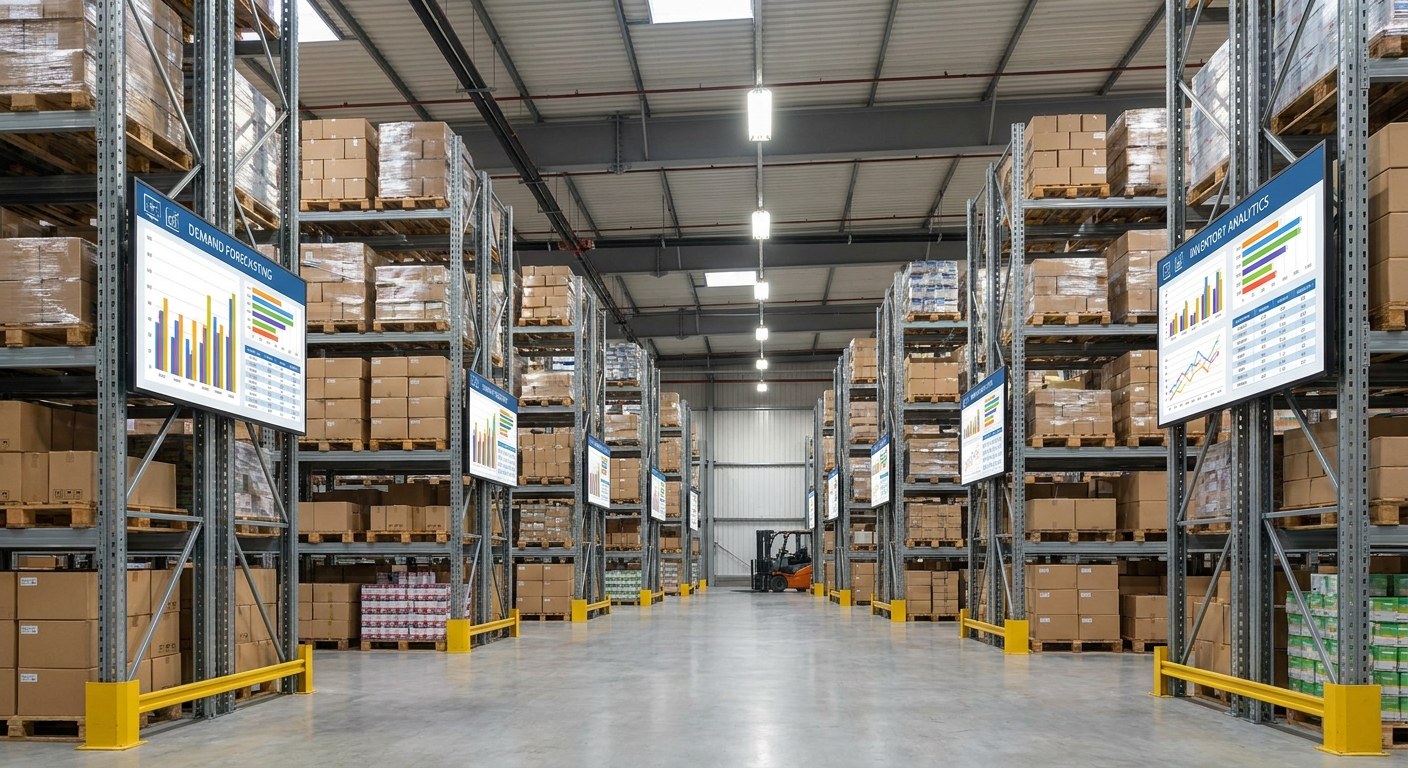
AI inventory forecasting for Shopify ecommerce eliminates the two most expensive inventory mistakes DTC brands make: running out of stock during peak demand, and ordering too much of the wrong thing. Modern AI forecasting tools pull your sales velocity, seasonality data, supplier lead times, and ad spend schedule to auto-generate purchase orders — replacing the spreadsheet entirely. For a Shopify brand heading into Q4, that's not a nice-to-have. It's the difference between a record month and a preventable disaster.
TL;DR: Key Takeaways
- Overstocking and stockouts cost US retailers an estimated $1.75 trillion annually (IHL Group) — and DTC brands bear a disproportionate share of that pain
- AI forecasting tools like Prediko connect natively to Shopify and auto-generate purchase orders based on sales velocity, seasonality, and supplier lead times
- Shopify's native AI now monitors inventory in real-time, but it's an operational tool — not a predictive one; dedicated forecasting platforms do the heavy lifting
- Most Shopify brands achieve 85–95% forecast accuracy within 60 days of proper setup
- ROI is fastest for brands with 50+ SKUs, seasonal demand spikes, or suppliers with 4+ week lead times
Why Traditional Inventory Forecasting Breaks Down for DTC Brands
Most DTC founders start with a spreadsheet. It works at $500K in revenue. By $2M, it's a liability. The problem isn't the spreadsheet itself — it's the inputs. Manual forecasting assumes demand is predictable from prior cycles. DTC demand isn't.
An influencer post drops on a Tuesday and sells through 3 weeks of inventory in 48 hours. A Meta campaign scales faster than expected. A supplier ships late. A competitor runs out of stock, sending their customers to your store. None of these events are in the spreadsheet model, and none of them wait for your next weekly review.
The second failure point is variant complexity. A clothing brand with 5 styles, 6 sizes, and 4 colorways has 120 SKUs to manage. Forecasting each one manually — accounting for size run biases, regional demand differences, and seasonal curves — is a full-time job before you've done anything else. Most operators round to the nearest case pack and hope. That hope is expensive.
The third failure is cash flow myopia. Traditional forecasting treats inventory as a fulfillment problem. AI forecasting treats it as a capital allocation problem. Every dollar sitting in overstock is a dollar not going into paid acquisition, product development, or operations. The best AI tools surface that trade-off explicitly — showing you not just what to order, but what it costs your business to order wrong.
How AI Inventory Forecasting Actually Works (Without the ERP Jargon)
AI forecasting platforms work by ingesting your historical sales data and then applying machine learning models to identify patterns that human analysts miss or can't process at scale.
The inputs typically include: sales velocity by SKU and variant, seasonal trends across prior cycles, day-of-week and promotional lift patterns, supplier lead times and variability, and — in the more sophisticated tools — your advertising spend calendar, which directly predicts demand spikes before they happen.
The output is a replenishment recommendation: a purchase order suggestion telling you exactly what to order, in what quantity, and by what date to avoid a stockout. Some tools generate these suggestions automatically; others surface them as alerts requiring human approval. Either way, the decision is data-driven rather than gut-driven.
Shopify's native AI (updated in 2026) now auto-suggests product attributes and monitors inventory levels in real-time. That's genuinely useful for operational awareness. But it doesn't predict future demand or generate purchase orders. Think of Shopify's built-in tools as the instrument panel — they tell you where you are. Dedicated AI forecasting platforms are the navigation system — they tell you where you're going.
Top AI Inventory Tools for Shopify in 2026 (Compared)
Four platforms dominate the Shopify market for AI-driven inventory forecasting. Here's how they compare:
| Tool | Best For | Shopify Native | Starting Price | Standout Feature |
|---|---|---|---|---|
| Prediko | DTC brands, multi-SKU Shopify stores | Yes (App Store) | ~$119/month | AI purchase order generation; ad spend integration |
| Inventory Planner | Brands with complex supplier relationships | Yes (App Store) | ~$99/month | Multi-supplier, multi-warehouse demand planning |
| Cogsy | Subscription + DTC brands | Yes (API) | ~$200/month | Subscription demand layering; scenario planning |
| StockTrim | Smaller brands scaling fast | Yes (App Store) | ~$49/month | Simple setup; cash flow impact view |
Prediko is the most frequently recommended for Shopify-native DTC brands with 50–500 SKUs. Its direct integration with Shopify means it reads your sales data in real-time and can factor in your Meta and Google ad spend schedules to predict demand lift before campaigns run. That's the feature most competitive tools don't have.
Inventory Planner is the better choice for brands managing multiple suppliers with different lead times, minimum order quantities, and currency considerations. Its reporting layer is stronger for operators who need to justify purchase decisions to a CFO or investor.
Cogsy stands out for subscription commerce brands. Subscription demand is predictable in ways that one-time purchase demand isn't — Cogsy layers subscription renewal data on top of new-customer projections to produce a combined demand curve that's more accurate than either signal alone.
StockTrim is the entry point for brands that are just moving off spreadsheets. It's simpler, cheaper, and gets 80% of the way to what Prediko or Inventory Planner offers — which is exactly right for a brand doing $500K–$2M in GMV that needs to stop guessing.
How to Set Up AI Forecasting: A Shopify Brand's Practical Guide
Setup is faster than most operators expect. Here's the practical sequence:
Step 1: Audit your historical data quality. AI models are only as good as the data they're trained on. Before you install any tool, verify your Shopify sales history is clean — no duplicate SKUs, consistent variant naming, and at least 6 months of sales data (12+ is better). If your store has messy product data, fix that first. Garbage in, garbage out applies here more than anywhere.
Step 2: Map your supplier lead times. Every AI forecasting tool needs your supplier lead times as inputs. Pull this from your purchase order history — average days from PO to warehouse receipt, by supplier. If you have multiple suppliers for the same SKU, document which is primary and which is backup. This data drives the reorder point calculation.
Step 3: Install and connect. Tools like Prediko and Inventory Planner install from the Shopify App Store and connect to your store data with OAuth — no custom development required. The initial sync pulls your full sales and inventory history. Expect this to take a few hours on large catalogs.
Step 4: Set your safety stock parameters. Safety stock is the buffer inventory you hold above the AI's base forecast to absorb demand variability. Most tools let you set this as a percentage (e.g., 15% above forecasted demand) or a fixed number of days of coverage. Start conservative — 15–20% buffer — and adjust down once you've validated forecast accuracy over a full season.
Step 5: Configure replenishment alerts. Set the tool to alert you when any SKU crosses below its reorder point. Most tools support email, Slack, and in-app alerts. For brands with suppliers that have 4+ week lead times, set a secondary alert at 6 weeks of remaining stock — giving you time to place an order even if the first alert gets missed.
Step 6: Review the first AI-generated purchase order suggestion. Don't auto-approve the first one. Compare it to what you would have ordered manually. Where there are significant differences, dig into why — is the AI accounting for a seasonality pattern you know is wrong? Is it missing a planned promotion? Use the first 30 days as a calibration period. Our team at Atlas's AI automation practice typically runs a 4-week calibration sprint when onboarding brands to new forecasting tools, validating model outputs against known historical events before switching to automated approvals.
The ROI Case: What Stockouts and Overstock Really Cost
The number that makes the business case for AI inventory forecasting is stark: overstocking and stockouts cost US retailers an estimated $1.75 trillion annually (IHL Group). DTC brands — with thinner margins, smaller safety nets, and more concentrated supplier relationships — feel that cost acutely.
A single stockout event during BFCM doesn't just lose the sale in the moment. It loses the customer to a competitor, inflates your effective CAC for the quarter (you paid to acquire customers you couldn't serve), and damages your seller score on marketplaces if you operate on Amazon or Walmart.com in parallel.
Overstock has a quieter but equally real cost. Dead inventory ties up working capital that should be deployed into growth. Clearance discounting erodes brand positioning. Storage and carrying costs accumulate. For brands on net-60 or net-90 payment terms with suppliers, overstock directly limits how much new product you can bring in — it's a circular constraint that compounds.
The ROI math is straightforward. If a Shopify brand doing $3M in annual revenue reduces stockout events by 50% and overstock by 30%, the combined benefit — recovered revenue, reduced clearance losses, freed working capital — typically delivers 10–30× the cost of the forecasting software in year one. That's not a speculative number; it's what we see consistently when brands move from spreadsheet forecasting to AI-driven demand planning. Our ecommerce team works with brands across this transition and the operational improvement is consistently one of the highest-leverage moves a scaling Shopify store can make.
Shopify's own data supports this direction: AI-powered product recommendations lead to an average 26% increase in revenue per visitor (Shopify, 2026). Inventory forecasting is the upstream version of the same idea — using AI to put the right product in front of the right customer at the right time, rather than apologizing for being out of stock after the moment has passed.
For brands heading into Q4 specifically, the calculus is even clearer. BFCM is the highest-demand, highest-stakes 96-hour window in the calendar. Brands that go into it with AI-validated inventory positions — knowing exactly what they have, what they'll need, and what they can't afford to run out of — are structurally advantaged over brands that go in with a gut estimate and a prayer.
The brands that implement AI inventory forecasting before Q4 aren't doing it because it's interesting technology. They're doing it because one bad stockout event costs more than a year of software fees. That calculation is hard to argue with. You can read more about how AI is transforming ecommerce operations stacks in 2026 — inventory is one piece of a broader automation picture that forward-looking brands are building now.
FAQ: AI Inventory Forecasting for Ecommerce
How much does AI inventory forecasting software cost for a Shopify brand?
Pricing varies significantly by tool and order volume. Prediko starts around $119/month for brands doing up to 1,000 orders/month, scaling to $299+/month for larger operations. Inventory Planner starts at around $99/month. Cogsy and StockTrim have similar entry points. For most Shopify brands doing $1M–$5M GMV, budget $99–$299/month. That's a small fraction of what a single preventable stockout during BFCM costs — one peak-season stockout event alone commonly erases $10,000–$50,000 in revenue for a mid-size brand.
Can AI inventory tools integrate with Shopify without custom development?
Yes. Tools like Prediko, Inventory Planner, and StockTrim install directly from the Shopify App Store and connect to your store data — sales history, variants, supplier lead times — without custom development. Setup typically takes a few hours to a day of configuration, not weeks of engineering. The more complex integrations (multi-warehouse, custom ERP sync, 3PL connections) may require some setup work, but the core forecasting functionality is available out of the box for standard Shopify and Shopify Plus stores.
How accurate is AI demand forecasting for ecommerce?
Modern AI forecasting tools achieve 85–95% accuracy on SKUs with at least 6–12 months of sales history and consistent demand patterns. Accuracy drops on new products (no history), highly seasonal items with only one or two prior cycles, and SKUs with erratic velocity. The best tools handle this by blending category-level trends with SKU-level data and allowing manual overrides for known events (new campaign launches, influencer drops, wholesale orders). Even at 85% accuracy, AI forecasting dramatically outperforms spreadsheet-based approaches for most brands.
What's the difference between AI forecasting and Shopify's built-in inventory tools?
Shopify's native inventory tools — including the real-time monitoring and AI attribute suggestions introduced in 2026 — are operational tools. They tell you what you have and flag low-stock alerts. Dedicated AI forecasting platforms like Prediko or Inventory Planner are predictive tools. They tell you what you'll need, when to reorder, how much to order, and what happens to your cash flow if you don't. Shopify's native tools are a starting point; AI forecasting platforms are what you reach for when spreadsheet gaps or stockout events start costing real money.
How long does it take to see results from AI inventory forecasting?
Most brands see meaningful improvement in purchase order accuracy within the first 30–60 days — faster than almost any other operational tool. The first month is primarily setup and data ingestion: the model needs your sales history, supplier lead times, and reorder rules. By month two, you'll have AI-generated purchase order suggestions you can act on. By month three, you'll have enough comparison data to see the gap between what you were ordering (manually or via guesswork) and what the AI recommended — which is usually where the ROI becomes obvious.
Ready to stop guessing on inventory?
Our team audits and implements AI-powered operations stacks for Shopify brands — including demand forecasting, replenishment automation, and supplier workflow integration. If you're heading into Q4 without a forecasting system, now's the time to fix that.
Explore AI & Automation Services