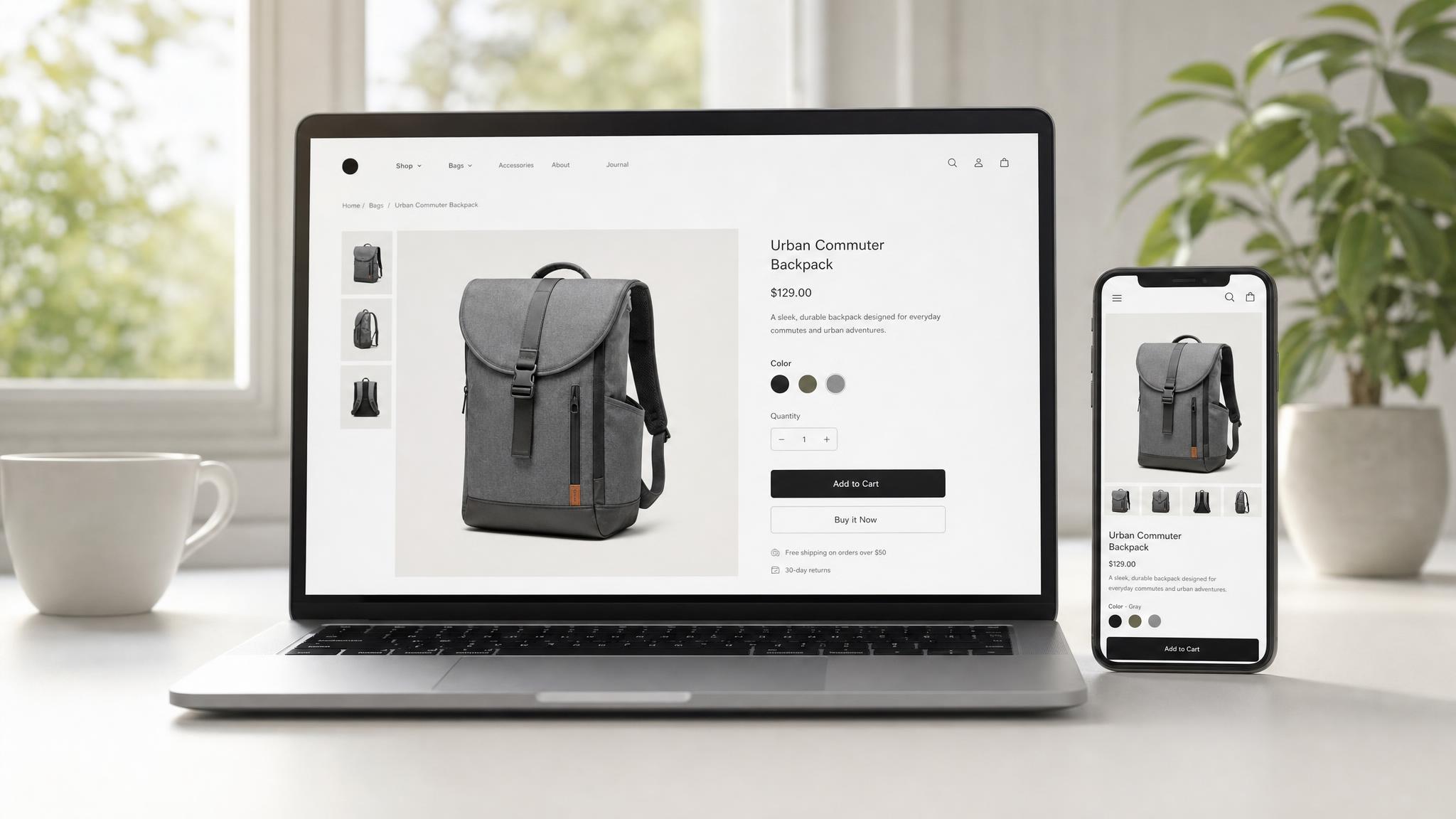
BFCM product page optimization is the highest-ROI fix most brands skip entirely before Black Friday. Average ecommerce conversion rates sit at 2–4%, but top-performing BFCM product pages convert at 6–8% or higher — not because those brands spent more on ads, but because their product pages were ready when the traffic arrived. With Black Friday 17 days out, there is still time to close that gap.
Key Takeaways
- Product page conversion rate — not ad budget — determines your BFCM revenue ceiling
- 53% of mobile users abandon pages that take longer than 3 seconds to load
- Trust badges and social proof can lift product page conversion by up to 15%
- Not every fix requires a developer — prioritize by impact vs. implementation time
- Items 1–8 this week; items 9–15 by November 21; freeze code changes by November 24
Why Product Pages Are Your Biggest BFCM Lever
Your ad campaigns drive traffic. Your product pages convert it — or don't. During BFCM, most brands double or triple their ad spend, then wonder why ROAS drops. The answer is usually the product page, not the ad.
A 1% conversion rate improvement on a product page that sees 50,000 BFCM visitors is 500 additional sales. At a $100 AOV, that's $50,000 in revenue that required no additional ad spend — just a better page. This is why CRO done before BFCM compounds every dollar you spend on paid traffic.
The brands that consistently hit 6–8% BFCM conversion rates don't have better products. They have product pages that eliminate friction, build trust quickly, and create urgency at exactly the right moment. That's a system, and it can be built — even with 17 days left.
The 15-Point BFCM Product Page Checklist
Work through these in order. Items 1–8 have the highest conversion impact. Items 9–15 add meaningful lift and can be completed in week two if development resources are constrained.
1. Mobile Page Speed Under 3 Seconds
Pull your Core Web Vitals in Google Search Console today. Fifty-three percent of mobile users abandon a page that takes longer than 3 seconds to load — and during BFCM, mobile accounts for the majority of traffic. Compress images with Shopify's built-in optimizer or TinyPNG. Remove unnecessary app scripts from your theme. If your LCP (Largest Contentful Paint) is above 2.5 seconds, that's your single most urgent fix before anything else.
2. Hero Image Quality and Count
Product pages with five or more images convert 3–9× better than those with one or two (Shopify, 2024). Your hero image must load fast and show the product clearly against a clean background, true to color. For BFCM, add a lifestyle image showing the product in context. Shoppers under purchase pressure convert better when they can visualize ownership immediately — before they scroll.
3. Above-the-Fold Buy Box Completeness
Everything a shopper needs to make a decision should be visible without scrolling: product name, price, variant selector, add-to-cart button, and at minimum one star rating. If your buy box requires scrolling on mobile, you're losing sales before the decision even forms. Test on a real device — Shopify's mobile preview doesn't replicate real-world viewport behavior accurately.
4. Social Proof Placement and Volume
Star ratings and review counts should appear directly under the product title — not buried below the fold. If you have fewer than 10 reviews on key products, run a post-purchase email sequence this week requesting reviews. Trust badges and social proof increase conversion rates by up to 15% on product pages (Baymard Institute). For BFCM specifically, surface your best review as a quote in the buy box itself, not just as an aggregate star score.
5. Urgency Signals (Real, Not Fake)
Low stock indicators, countdown timers to shipping cutoffs, and "X people are viewing this" signals all increase purchase urgency — when they're accurate. Fake urgency is a one-time trick that damages brand trust permanently. If you have genuine inventory constraints, show them. If you have a real shipping cutoff for pre-Christmas delivery, display it prominently. Urgency elements implemented honestly can increase conversion by 9–17% (Baymard Institute, 2024).
6. Shipping and Returns Prominently Displayed
During BFCM, shoppers are often buying for others. Unclear returns policies create hesitation that kills conversions at the final moment. Your free shipping threshold, estimated delivery window, and returns policy should be visible on the product page — in or directly below the buy box. A single line ("Free shipping over $50 · Free 30-day returns") placed near the add-to-cart button removes one of the most common objections at the moment of decision.
7. Clear Variant Selection UX
Sold-out variants that remain selectable — but fail silently at checkout — are a major conversion killer. Visually strike through or grey out unavailable sizes and colors before the user clicks add to cart. If a variant is out of stock, offer a "notify me when available" option to capture the demand signal and retain the customer relationship. Shoppers who encounter a hidden out-of-stock issue at checkout rarely return to complete the purchase.
8. Add-to-Cart Button Design and Copy
Your ATC button should be the most visually dominant element on the page. High-contrast color, full width on mobile, and above the fold on desktop. Test "Add to Cart" vs. "Get Yours Now" vs. "Buy Now" — but only if you have enough traffic for a statistically meaningful test in the next 10 days. If you don't, default to high-contrast and full-width. That alone beats most underperforming implementations without requiring a test.
9. Product Description Structure
Shoppers don't read walls of text. Format your product description in short paragraphs with bolded key benefits in the first three lines. Lead with what the product does for the customer, not what it is. Features live below benefits. If your description opens with product specifications, rewrite the first paragraph before BFCM traffic arrives — it's a 20-minute fix with measurable impact.
10. Video Content
A single 15–30 second product video — showing the product in use — can lift conversion by 60–80% in the right product categories (apparel, home goods, tech accessories). It doesn't need to be studio-quality. A clean UGC-style clip showing unboxing and product use, embedded via Shopify's native video player, outperforms static-only product pages in most categories tested.
11. Cross-Sell and Upsell Placement
BFCM shoppers have purchase intent and buying momentum. A well-placed "frequently bought with" section below the add-to-cart button adds AOV without additional ad spend. Use Shopify's native "Frequently Bought Together" feature or a cross-sell app like Rebuy. Keep recommendations to 2–3 products — more than that creates decision fatigue and can suppress primary conversions.
12. Trust Badges
Payment icons (Visa, Mastercard, Shop Pay, Apple Pay, PayPal), security badges, and third-party certifications should appear near the buy box or below the ATC button. These are especially impactful for first-time visitors arriving from paid ads — the dominant BFCM traffic source for most brands. Shoppers unfamiliar with your brand need to verify legitimacy quickly. Trust badges reduce that friction with a single visual scan.
13. Size and Fit Guides for Relevant Categories
Fit uncertainty is the leading reason apparel shoppers abandon product pages without converting. A clear, scannable size guide — even a simple three-row table — placed directly below the variant selector removes that objection at the point of decision. For non-apparel products, consider a "What size or configuration do I need?" explainer for products with multiple specifications. This also reduces return rates after BFCM, which matters for margin protection.
14. FAQ Section on the Product Page
Shoppers who can't find the answer to a specific question — ingredient safety, compatibility, warranty terms, materials — leave the page and don't come back. A short FAQ embedded on the product page, covering your 4–6 most common pre-purchase questions, keeps shoppers on the page through the decision point. Pull the actual questions from your Shopify Inbox chat logs or support ticket history — those are the objections costing you conversions.
15. Product Data Optimization for AI Search
AI shopping assistants — including Perplexity, Google's AI Mode, and OpenAI's shopping agent — now surface product recommendations based on structured product data and page content. For BFCM 2026, ensure your meta title includes the primary keyword, your product description answers "who is this for and why should I buy it" in natural language, and your Shopify product tags are complete and accurate. AI-referred shoppers convert at up to 50% higher rates than traditional visitors (Shopify, 2026). Optimizing for this channel takes roughly 20 minutes per SKU.
What to Fix This Week vs. Next Week
Not every fix is equal in impact or implementation effort. The table below organizes the 15 items by urgency and the realistic time required to execute.
| Deadline | Checklist Items | Why This Window |
|---|---|---|
| Fix by Nov 14 | Items 1–8 | Highest conversion impact; requires developer time; affects all product page traffic |
| Fix by Nov 21 | Items 9–15 | Meaningful lift; most executable without a developer; content and copy changes |
| Freeze by Nov 24 | All changes live; QA complete | No code changes during peak BFCM traffic — the risk outweighs any potential gain |
The freeze date matters as much as the checklist. Code changes deployed during peak BFCM traffic are high-risk. A broken add-to-cart button or a render-blocking script from a last-minute app install can wipe out hours of Black Friday revenue. Lock in your changes before the Thanksgiving weekend — not during it.
Tools to Audit Your Product Pages Fast
You don't need a full agency engagement to surface the biggest gaps. These tools return an audit in under an hour, and three of the four have free tiers.
Google PageSpeed Insights — Run each of your top-selling product URLs through PageSpeed Insights for your Core Web Vitals baseline. Focus on mobile. Fix LCP and CLS first — those two metrics have the most direct impact on bounce rate and conversion.
Hotjar or Microsoft Clarity (free tier) — Session recordings show exactly where mobile users drop off. Scroll depth heatmaps reveal whether shoppers are reaching the buy box or abandoning above the fold. One hour of session review surfaces patterns that analytics misses entirely — the kind of friction that never shows up in a bounce rate report.
Shopify Analytics — Filter your product page bounce rate by device type for the last 30 days. Any page with a mobile bounce rate above 65% is a priority fix. Cross-reference with your top-traffic BFCM products to identify where the intersection of "high traffic planned" and "conversion problem exists" gives you the clearest ROI.
Baymard Institute — Baymard publishes free research on checkout and product page conversion benchmarks. Use it to benchmark your implementation against industry best practices before making changes. Their data is the most rigorous publicly available UX research in ecommerce.
When to Bring in a CRO Partner Before Black Friday
If your store is seeing 10,000+ monthly visitors and your product page conversion rate is below 3%, professional CRO implementation before BFCM will pay for itself during the first weekend of peak traffic.
The math is direct: 50,000 BFCM product page sessions × 1% conversion improvement × $90 AOV = $45,000 in additional revenue from a single peak period. A focused CRO engagement prioritized on your top five products typically takes two weeks from brief to live. That's exactly the window available right now.
The challenge is timing. Any CRO work commissioned after November 17 will not be fully implemented and tested before Black Friday. If you're serious about closing the conversion gap before November 27, the window to act is this week — not next.
Our team at Atlas Media Group runs BFCM CRO implementations for ecommerce brands across apparel, home goods, and consumer products. We work in Shopify's native theme editor, Hydrogen, and standard app stack — no proprietary lock-in. If you want an eyes-on assessment of your product pages before BFCM, request a CRO audit and we'll review your top five pages and return a prioritized fix list within 48 hours.
FAQ
How long does it take to implement these product page fixes?
The timeline depends on which fixes you're prioritizing. Items that require no developer involvement — adding trust badges, updating product descriptions, uploading additional images — can be completed in a day. Speed optimizations and buy box restructuring typically require a Shopify developer and 2–5 business days depending on theme complexity. Starting today, items 1–8 are achievable before November 17 with a focused development sprint.
Do these fixes apply to Shopify Standard, or only Shopify Plus?
All 15 items apply to both Shopify Standard and Shopify Plus. Plus merchants have additional checkout customization options (UI Extensions) that can further reduce friction at the checkout stage, but the product page optimizations in this checklist work in any Shopify theme on any plan. The core levers — speed, social proof, urgency, trust — are fully platform-agnostic.
Is it worth running A/B tests on product pages before BFCM?
Only if you have enough traffic to reach statistical significance before the November 24 freeze date. A meaningful A/B test requires at minimum 500–1,000 conversions per variant. At a 3% conversion rate, that means approximately 33,000 visits per variant. If your store doesn't hit that volume in the next two weeks, skip testing and implement the best-practice defaults from this checklist. Test after BFCM when you have peak-period traffic data to inform the next optimization cycle.
What's the biggest mistake brands make on product pages during BFCM?
The most common error we see is deploying new theme changes or app installs during peak traffic — typically the week of Black Friday itself. A broken add-to-cart button or a render-blocking script introduced by a last-minute app install can wipe out hours of BFCM revenue in minutes. Freeze code changes by November 24. Everything in this checklist should be live and QA'd before the Thanksgiving weekend, not during it.
How do I know which products to prioritize for CRO work?
Sort your Shopify Analytics by product page sessions for the past 30 days, then cross-reference with your BFCM campaign products — the SKUs your ads will drive traffic to. The intersection of "highest traffic" and "planned BFCM promotion" gives you your priority list. If you have 200 products, focus exclusively on the top 5–10 that your ads will send volume to. Optimizing those pages moves the revenue needle far more than spreading effort across your full catalog in the time available.
Ready to Fix Your Product Pages Before Black Friday?
Our team can audit your top product pages and return a prioritized fix list within 48 hours — with enough time to implement before BFCM traffic arrives. Request a CRO audit →