Ecommerce App Push Notifications: Revenue Playbook
Push notifications are ecommerce apps' highest-ROI channel. Here's the playbook for sequences, timing, and copy that drive repeat purchases.
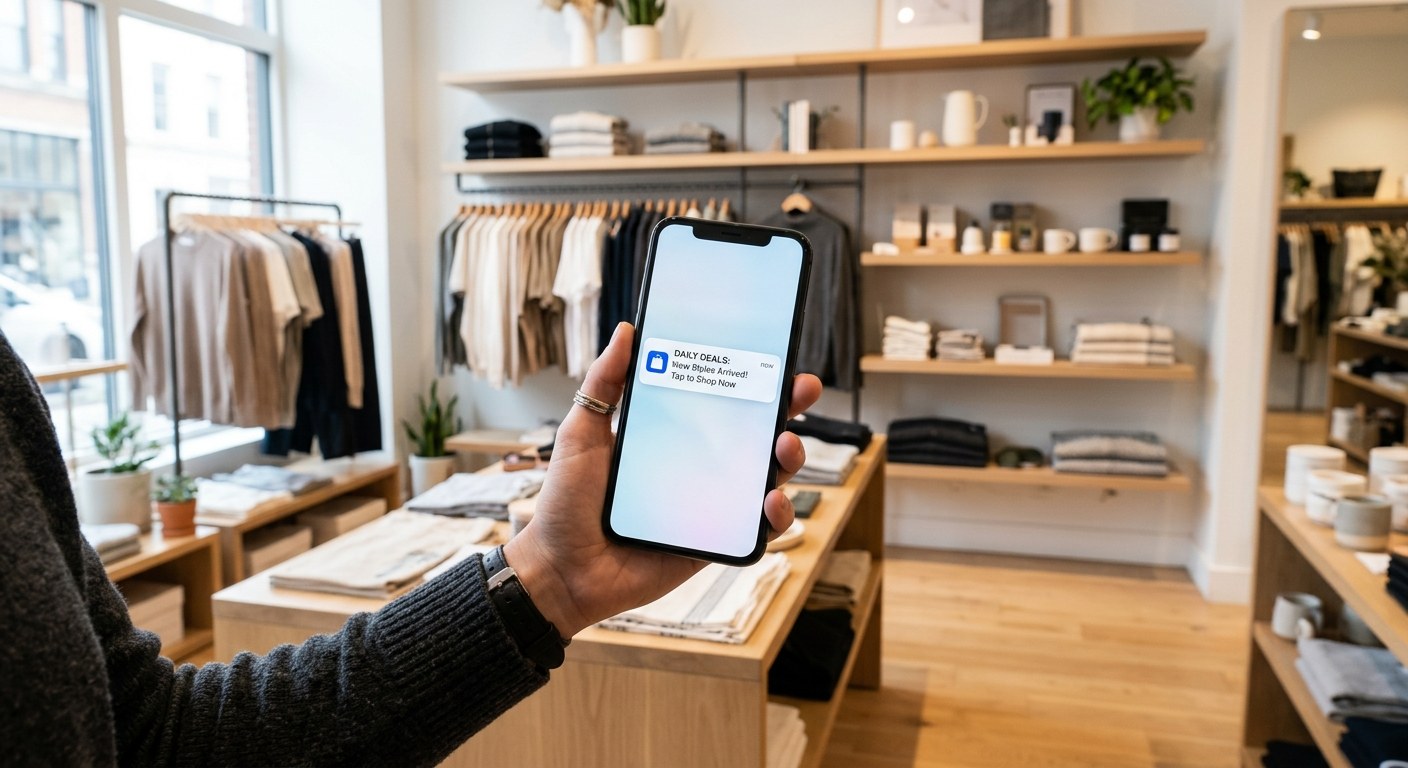
Ecommerce app push notifications revenue is one of the most underestimated levers in mobile commerce — and one of the most squandered. Push is the only re-engagement channel that reaches users directly on their lock screen, without an algorithm deciding whether your message gets seen. Done right, it's your app's highest-ROI channel. Done wrong, it's the fastest way to earn an uninstall.
TL;DR / Key Takeaways
- Mobile apps convert at 3× the rate of mobile web — push notifications are the engine that keeps users coming back
- Back-in-stock and price-drop notifications consistently deliver the highest revenue per send of any push type
- Optimal send timing varies by category: fashion peaks Tuesday–Thursday at 10–11 AM; beauty and consumables peak evenings
- The best-performing push copy is specific, time-bounded, and product-forward — generic urgency is ignored
- Opt-in rate is the most critical metric to protect; brands that spam lose it fast and permanently
Why Push Notifications Outperform Every Other Re-Engagement Channel
Mobile commerce now accounts for more than 63% of ecommerce web traffic and is projected to represent over 50% of US retail ecommerce by 2027 (Shopify, 2026). But traffic share doesn't tell the full story. The real advantage is conversion: ecommerce apps convert at 3× the rate of mobile web browsers. The product experience is faster, smoother, and — critically — personalized in ways a mobile web session can't match.
But an app that users don't open is just an icon. That's where push notifications come in.
Email requires an inbox check. SMS requires carriers. Social requires algorithms. Push notifications arrive directly on the user's lock screen the moment you send them — no intermediary. For re-engagement, that directness is unmatched. Push opt-in rates for ecommerce apps range from 50–60% at the point of download, compared to 5–10% email opt-in rates at the same moment (Klaviyo/Omnisend benchmarks, 2026).
That permission is valuable. It's also fragile. Brands that treat push as a broadcast channel — blasting the same promotional message to everyone daily — see opt-out rates climb within weeks and can't recover them. iOS grants one native permission prompt per permission type: if a user declines, you can't ask again natively. The playbook below protects opt-in rates while extracting maximum revenue per send.
For brands weighing whether to build a custom app at all, our team's breakdown of whether your ecommerce brand should build a mobile app in 2026 covers the ROI calculus in detail — push channel performance is one of the strongest arguments in favor.
The Six Push Notification Types Ranked by Revenue Impact
Not all push notifications are created equal. Here's how the main types stack up by average revenue per send, based on industry benchmarks across ecommerce verticals.
| Notification Type | Avg. Revenue per Send | Opt-Out Risk | Best For |
|---|---|---|---|
| Back-in-Stock | Highest | Low | Demand-confirmed products |
| Price Drop | Very High | Low | Wishlisted / viewed items |
| Abandoned Cart | High | Low–Medium | Mid-funnel drop-offs |
| Loyalty Milestone | High | Very Low | Retention + LTV |
| Flash Sale / Limited Offer | Medium | Medium–High | List-wide promos (segmented) |
| Generic Promotional | Low | High | Avoid unless tightly segmented |
Back-in-Stock Alerts top the list because they're permission-based by nature — the user requested the notification when they tapped "Notify Me." Intent is already established. When the product returns, send immediately. First-send conversion rates for back-in-stock push notifications routinely hit 20–35%, making them the single highest-converting push type in ecommerce.
Price Drop Notifications are triggered by a price reduction on an item the user viewed, added to cart, or wishlisted — a high intent signal by definition. The key: only fire these when the discount is meaningful (typically a 10%+ threshold). A $0.50 price drop on a $200 item is noise, not news.
Abandoned Cart is the workhorse of push re-engagement. Best practice is a three-message sequence: first push within 1 hour (reminder, no discount), second at 24 hours (soft urgency, social proof), third at 72 hours (incentive if still abandoned). Staggering the incentive protects margin — most users in this sequence convert before the third message.
Loyalty Milestone notifications — "You're 200 points away from a free gift" — perform exceptionally well because they're progress-framed, not discount-framed. Users feel they're earning something, not being sold to. These see the lowest opt-out rates of any push type and drive immediate sessions from users who otherwise wouldn't open the app that day.
Flash Sale / Limited Offer pushes work well for engaged users but burn opt-in permission for disengaged ones. Segment before sending. Users who haven't opened the app in 30+ days should receive a re-engagement message first — not a flash sale for a category they've never purchased from.
Generic Promotional messages should be avoided unless the offer is genuinely exceptional and the segment is tightly defined. "Shop our summer sale" sent to your full user list is the fastest path to mass opt-out.
Timing and Frequency: The Framework That Cuts Opt-Outs
Push notification performance is highly sensitive to send time — and the optimal window varies meaningfully by product category. The table below reflects aggregated benchmarks across ecommerce verticals.
| Category | Peak Days | Peak Send Window | Avoid |
|---|---|---|---|
| Fashion & Apparel | Tue–Thu | 10–11 AM local | Mon mornings, Fri evenings |
| Beauty & Skincare | Wed–Fri | 6–8 PM local | Early mornings |
| Electronics & Tech | Tue, Thu | 12–2 PM local | Weekends |
| Home & Lifestyle | Thu–Sat | 11 AM–1 PM local | Sunday evenings |
| Food & Consumables | Mon, Wed, Fri | 5–7 PM local | Mid-morning |
Frequency guardrails that prevent opt-out:
- Maximum promotional cadence: 2–3 per week for active users; 1 per week for less-engaged segments
- Behavioral sends (cart abandon, back-in-stock, price drop) don't count toward the promotional limit — they're triggered by the user's own action
- Quiet hours: Suppress all non-urgent pushes between 9 PM and 8 AM local time; most platforms support timezone-aware delivery natively
- Engagement-based throttling: Users who haven't opened the app in 14+ days should receive no more than 1 push per week until they re-engage
The most common frequency mistake we see in custom ecommerce app builds is treating the promotional and behavioral queues as a single budget. They're separate channels with separate tolerance thresholds. Behavioral sends are welcome because they're relevant; promotional blasts are tolerated only when they're infrequent and well-targeted.
For brands building on Shopify specifically, the infrastructure decisions made during app development have long-term implications for timezone-aware delivery, push segmentation capabilities, and analytics granularity. It's not something to retrofit — it needs to be architected from the start. The comparison between app onboarding UX and push notification strategy is worth understanding together, since the two systems are deeply linked: what you collect in onboarding determines how well you can segment push sends later.
Push Notification Copy That Converts (With Ecommerce Examples)
The anatomy of a high-performing push notification is straightforward: product + specificity + time boundary + action. Generic urgency — "Don't miss out!" — is ignored because it's indistinguishable from noise. Specific urgency converts because it delivers information the user actually wants.
The four-part copy framework:
- Product-forward headline: Name the specific item or category the user engaged with
- Specific value signal: The exact discount, the exact units remaining, the exact loyalty points to next milestone
- Time boundary (when applicable): A real deadline, not a manufactured one — users learn to ignore fake countdown urgency fast
- Single clear action: One tap, one outcome — never ambiguous
High-performing examples by notification type:
Back-in-Stock:
"The Linen Blazer in Slate is back — and selling fast. Tap to grab your size before it's gone again."
Price Drop:
"The standing desk you looked at just dropped $80. Now $319. Your wishlist is paying off."
Abandoned Cart — Hour 1:
"You left the Merino Pullover behind. It's still in your cart — 3 sizes left in stock."
Abandoned Cart — Hour 24:
"Still thinking about it? 847 people viewed the Merino Pullover this week. Your cart's saved."
Abandoned Cart — Hour 72:
"Last chance offer: 15% off the Merino Pullover, today only. Your cart is waiting."
Loyalty Milestone:
"You're 180 points from Gold status. Your next purchase gets you there — plus a free gift."
Flash Sale (active purchasers only):
"36-hour event: 25% off everything in Outerwear. Ends Thursday at midnight."
What to avoid: All-caps urgency, emoji overload (one max), vague offers ("Big savings inside"), and misleading deadlines that reset daily. The last one is particularly damaging — when users realize a "today only" countdown resets every morning, they stop responding to all your time-bounded messaging.
Push copy should be treated with the same rigor as ad creative. Most brands A/B test email subject lines obsessively and never touch push copy. That asymmetry is a significant missed opportunity — the same headline specificity principles that lift email open rates apply directly here. For a look at how push integrates with the broader in-app experience, the post on ecommerce app features that drive conversions in 2026 covers the full stack.
Measuring Push Notification ROI: The Metrics That Matter
Most teams track open rate and stop there. That's the wrong primary metric — open rate measures curiosity, not revenue. Here are the metrics that actually tell you whether push is working.
Tier 1 — Revenue metrics (primary):
- Revenue per send: Total revenue attributed to the push campaign ÷ sends. This is the number that matters most.
- Conversion rate per send: Sessions that converted ÷ sends. Removes volume bias and lets you compare campaigns of different sizes fairly.
- Attributed AOV: Average order value from push-attributed sessions vs. direct/other. Higher AOV from push usually means back-in-stock and loyalty notifications are doing their job.
Tier 2 — Engagement health metrics:
- Direct open rate: Benchmark 3–8% for promotional; 10–20%+ for behavioral/triggered notifications
- Influenced open rate: Users who opened the app within 24h of a push (even without tapping) — captures the awareness effect that push creates even without a direct tap
- Session depth: Pages per session and time in app for push-attributed sessions; low session depth signals message-to-landing page misalignment
Tier 3 — Permission health metrics (critical to protect):
- Opt-out rate per campaign: Flag any campaign above 0.5%; above 1% is a signal to stop and reassess the message, segment, or frequency
- Active subscriber rate: % of push subscribers who have engaged (opened or converted) in the last 30 days — a declining trend is an early warning of list fatigue
- Permission rate for new installs: Track over time; a declining permission rate means your onboarding soft-prompt needs work
A robust push strategy treats Tier 3 as a constraint, not a lagging indicator. No revenue metric justifies sacrificing permission health. A brand that burns its opt-in list chasing short-term promotional revenue ends up with a dead channel — and no path back to it. The economics are clear: protecting a healthy push subscriber base is almost always worth more over 12 months than any individual campaign it limits.
FAQ: Push Notifications for Ecommerce Apps
How many push notifications should an ecommerce app send per week?
For promotional pushes, two to three per week is the ceiling for active users — and even that requires strong segmentation. Behavioral notifications (back-in-stock, price drop, abandoned cart) are separate and can fire as triggered without counting toward the promotional budget, because they're contextually relevant to actions the user just took. The number one frequency mistake is treating all pushes as equivalent. A user who abandoned a cart 20 minutes ago wants to hear from you; a user who hasn't opened the app in three weeks probably doesn't.
What's the best time to send ecommerce push notifications?
It depends on your category. Fashion and apparel brands consistently see peak performance Tuesday through Thursday, 10–11 AM in the user's local timezone. Beauty and consumables skew toward evening windows, 6–8 PM. Electronics tend to convert best around midday. The most important principle is timezone-aware delivery — sending to your full list at "10 AM Eastern" means a meaningful share of your users get the message at 7 AM or 1 PM local, both suboptimal windows. Any serious push platform supports local timezone delivery natively, and it should be configured from day one.
Do push notifications work for lower-ticket ecommerce products?
Yes, and often better than for high-ticket items. Lower AOV products typically have shorter consideration cycles, which means a timely, well-targeted push can close a purchase that would otherwise take days of email nurturing. The back-in-stock and price-drop notification types are particularly effective for lower-ticket consumables and beauty products, where inventory scarcity and pricing sensitivity are both high. The main adjustment at lower AOV is calibrating incentive thresholds in your abandoned cart sequence to the product price point — a 15% discount on a $25 item has a different margin impact than on a $200 one.
What happens if users opt out of push notifications?
On iOS, opting out of the native push permission is permanent — you cannot re-ask via the native prompt. This is why the soft-prompt strategy (showing a custom in-app screen explaining the value before triggering the system prompt) is non-negotiable in any well-built ecommerce app. If users do opt out, they can still be reached via in-app notifications (messages that appear when they open the app) and email. Some brands also use SMS as a re-engagement bridge for high-value lapsed users. But rebuilding a lost push permission list is expensive and slow — protecting opt-in rates is far cheaper than recovering from mass opt-out.
How do I improve push notification open rates without increasing frequency?
Segmentation and personalization are the two highest-leverage levers that don't require sending more messages. Segmenting your push list by purchase history, browse behavior, and engagement recency — and tailoring the message to match — typically produces 2–4× higher open rates vs. unsegmented sends at the same frequency. The second lever: A/B test notification copy continuously. Even small changes in headline specificity ("The Linen Blazer in Slate is back" vs. "Your saved item is back in stock") produce measurable lift. Most brands don't test push copy as rigorously as they test email or ad creative — that asymmetry represents one of the most accessible open opportunities in mobile commerce.
Ready to Build Push Notification Infrastructure That Actually Performs?
A custom-built ecommerce app with the right push notification architecture — behavioral triggers, timezone-aware delivery, segmentation logic, and proper analytics — is a fundamentally different product from an off-the-shelf app builder plugin. Our app development team builds mobile commerce experiences with push as a first-class revenue channel, not a checkbox feature added at the end.
If your brand is evaluating a custom mobile app or looking to get more out of an existing one, start a conversation with our team. We'll tell you honestly whether a custom build is the right call — and what it would take to make push a meaningful revenue driver for your business.