Ecommerce Product Feed Optimization for AI Search
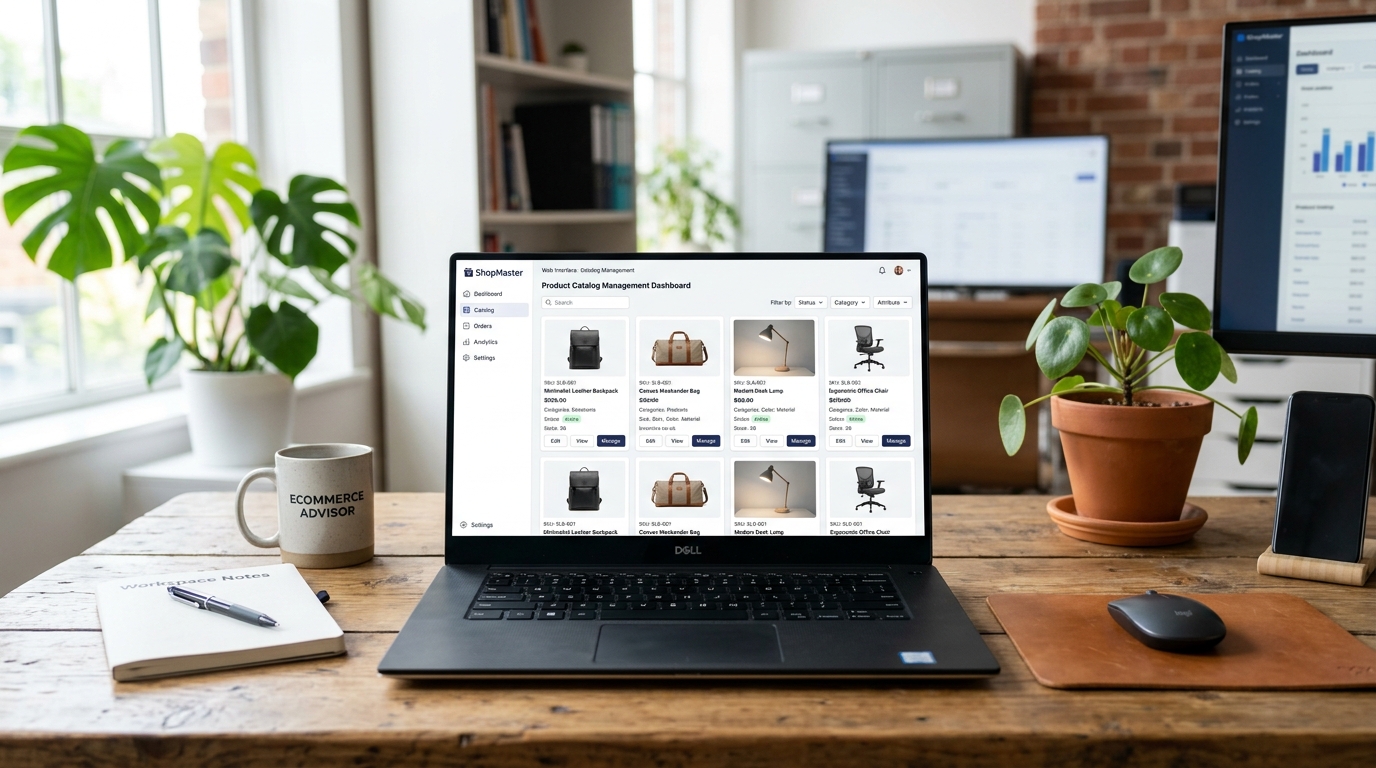
Ecommerce product feed optimization for AI search is now the single highest-ROI technical task most Shopify brands are ignoring. AI shopping agents — embedded in ChatGPT, Google, Perplexity, and dedicated commerce tools — use your product feed data to decide which SKUs to surface, compare, and recommend. If your feed is incomplete, inconsistent, or missing key attributes, your products get skipped before a human ever sees them. With AI-referred shoppers converting at 50% higher rates and 14% higher average order value than other channels (Shopify Q1 2026), the cost of a bad product feed has never been higher.
TL;DR — Key Takeaways
- AI shopping agents evaluate product data quality before surfacing your SKUs — messy data means your products get skipped entirely
- The 7 most critical feed attributes: title, description, price, availability, images, variant attributes, and structured identifiers (GTIN/MPN)
- Amazon now mandates AI-generated image tagging; Adobe Commerce launched a dedicated Catalog Agent to serve structured data to AI crawlers — product feeds are becoming infrastructure
- Start your audit on your top 50 revenue SKUs, not your full catalog
- Shopify's Catalog API is the fastest path to machine-readable product data for AI crawlers
Why Product Feeds Are Now Your Most Important SEO Asset
For most of the last decade, "SEO" for ecommerce meant blog posts, category page optimization, and backlinks. Product pages mattered, but the real search game was played at the content layer.
That's changing fast.
AI shopping agents don't navigate content hierarchies — they query product data directly. When a shopper asks ChatGPT to find the best running shoe under $120, the agent isn't reading your blog. It's evaluating your product feed: titles, descriptions, pricing, availability, images, and attribute completeness. Brands with clean, complete feeds get surfaced. Brands with incomplete feeds get skipped.
The scale of the shift is measurable. Traffic to ecommerce sites from AI chats is up 150–428% year-over-year (Shopify, 2026). That's not a rounding error — it's a channel that's growing faster than any paid platform. And unlike paid traffic, AI-referred shoppers arrive pre-qualified: they've already been evaluated against your competitors by the AI agent before landing on your store.
Two developments in 2026 signal how seriously the industry is taking this:
Amazon mandates AI-generated image tagging. Starting in 2026, Amazon requires sellers to tag any AI-generated product images with synthetic-performer metadata. This is infrastructure policy — Amazon is treating product data integrity as a platform-level requirement, not a best practice.
Adobe Commerce launched Catalog Agent. Adobe's Catalog Agent enriches product detail pages with structured data in a dedicated machine-readable layer specifically designed for AI crawlers. It's a vendor-level acknowledgment that traditional page HTML isn't sufficient for AI discovery.
The product feed is becoming the new SEO battleground. Brands that treat it as a catalog management task — something to clean up later — are already falling behind.
What Data Fields AI Shopping Agents Actually Look For
AI shopping agents don't just want more data — they want specific, structured data that allows confident evaluation and comparison. Here are the seven fields that matter most:
1. Product Title. Titles should follow the format: Brand + Product Name + Key Attribute (size, color, material). "Blue Running Shoe" fails. "Brooks Ghost 16 Men's Running Shoe — Blue, Size 10" passes. AI agents use titles to parse category, brand, and product differentiation in a single read.
2. Product Description. 300–500 words minimum for top SKUs. The description needs to answer the three questions an AI agent is trying to resolve: What is it? Who is it for? Why is it better than the alternative? Thin descriptions ("Great shoe for running!") are confidence-killers.
3. Pricing — Including Sale Price and Currency. AI agents surface price comparisons. If your feed doesn't include a clear regular price, sale price, and currency code, the agent can't include your product in price-ranked recommendations. This is one of the most common feed gaps we see.
4. Real-Time Availability. Stale availability signals are worse than no signals. "In Stock" on a product that's actually backordered for six weeks trains AI agents to distrust your feed. Availability fields need to be updated in real time — Shopify's Catalog API handles this natively when connected correctly.
5. Product Images. At minimum: one clean hero image on a white or neutral background, minimum 800×800px. For AI shopping agents operating in visual contexts (Google Shopping, ChatGPT's vision-enabled modes), lifestyle images showing the product in use increase recommendation likelihood. Image alt text must include the primary keyword.
6. Variant-Level Attributes. This is where most Shopify feeds break down. A parent product titled "Women's Fleece Hoodie" with color variants should have color, size, and material tagged at the variant level — not just at the parent level. AI agents comparing fleece hoodies across brands need attribute data that's specific enough to match the shopper's query parameters.
7. Structured Identifiers: GTIN and MPN. GTIN (Global Trade Item Number) or MPN (Manufacturer Part Number) tells AI agents — and Google Shopping — that your product is the same product listed elsewhere, enabling price comparison and review aggregation. If you manufacture your own products (DTC brands often do), generate a GS1 GTIN. It's a one-time setup that unlocks multi-platform visibility.
| Field | Common Gap | Impact on AI Visibility |
|---|---|---|
| Title | Generic, missing attributes | Low — agent can't categorize confidently |
| Description | Thin (<100 words) | Low — agent skips in favor of richer listings |
| Price | Missing sale price or currency | Excluded from price-ranked recommendations |
| Availability | Stale or missing | Agent distrust; excluded from in-stock queries |
| Images | Low resolution or missing alt text | Excluded from visual shopping surfaces |
| Variant attributes | Parent-level only | Fails variant-specific queries |
| GTIN/MPN | Missing | No price comparison or review aggregation |
The 10-Point Ecommerce Product Feed Audit Checklist
Run this audit on your top 50 revenue SKUs first. Don't start with the full catalog — fix where the money is before optimizing the tail.
1. Title format compliance. Does every SKU follow Brand + Product Name + Key Attribute? Check for vague titles, placeholder names, and SKU codes used as titles.
2. Description word count. Are your top 50 SKU descriptions at least 200 words? Flag anything under 100 words as high-priority.
3. Pricing completeness. Do all SKUs have a regular price AND a sale price (even if they're the same)? Is currency code explicitly set?
4. Real-time availability sync. Is availability data pulling from your actual Shopify inventory in real time, or is it a static field? When did you last audit for accuracy?
5. Image count and quality. Each SKU should have a minimum of 3 images: hero (white background), lifestyle, and detail/feature shot. Check resolution — anything under 800×800px needs replacing.
6. Variant attribute completeness. For every product with variants, are color, size, material, and other relevant attributes tagged at the variant level, not just the parent?
7. GTIN/MPN presence. What percentage of your top 50 SKUs have a valid GTIN or MPN? If under 80%, this is your highest-priority fix.
8. Category taxonomy accuracy. Is every product mapped to the correct Google Product Category taxonomy? Miscategorized products fail category-specific AI shopping queries.
9. Schema markup validation. Run your top 10 product pages through Google's Rich Results Test. Are Product schema, Offer schema, and AggregateRating schema all passing without errors? Our structured data for AI crawlers guide covers the complete Shopify JSON-LD implementation and validation workflow.
10. Feed freshness. How often does your product feed update? For AI shopping agents that pull data in near-real-time, a feed that updates every 24–48 hours creates availability accuracy gaps. Aim for at least 4 updates per day for high-volume SKUs.
Shopify Catalog API: Making Your Data Machine-Readable
Shopify's Catalog API is the fastest path to serving clean, structured product data to AI crawlers — and most Shopify merchants aren't using it intentionally.
The Catalog API exposes your product data in a machine-readable format that AI shopping agents can query directly, bypassing the need to crawl and parse your storefront HTML. This matters because HTML parsing is lossy — AI crawlers frequently miss data that's embedded in JavaScript-rendered components or stored in non-standard markup. The Catalog API serves structured data in a format AI agents can consume reliably.
What to configure in Shopify for AI-ready product data:
Set up Product Feeds in the Shopify admin (Marketing → Product Feeds). This activates the structured data export layer that connects to Google Merchant Center, Meta Commerce Manager, and AI shopping integrations. Each feed should include all the variant-level attributes covered in the audit above.
Enable Shopify's built-in schema markup. Shopify themes include basic Product schema by default, but most require customization to include AggregateRating, Offer, and variant-level attributes. If you're on a theme that doesn't output complete Product schema, this is a development task worth prioritizing — it's the primary input for both Google Shopping and AI shopping agents. For a deeper technical guide on structured data and AI crawlers specifically, our post on optimizing your ecommerce store for AI search traffic covers the schema configuration in detail.
Connect to Google Merchant Center. Shopify has a native Google integration that syncs product data to Google Merchant Center via the Catalog API. Once connected, your products appear in Google Shopping and are accessible to Google's AI Overview recommendations. This is also the fastest way to identify feed errors — Google Merchant Center's diagnostics surface missing attributes, pricing mismatches, and image quality issues at scale.
Third-party feed management for larger catalogs. If you have more than 5,000 SKUs, consider a dedicated feed management tool (DataFeedWatch, Feedonomics, or Channable) that sits between Shopify and your distribution channels. These tools add rules-based feed optimization — automatically improving titles, filling attribute gaps, and managing feed updates on custom schedules — that the native Shopify feed can't match at volume.
Our ecommerce development team configures Shopify Catalog API connections as a standard part of any store build or audit — treating product data infrastructure as a first-class SEO input rather than an afterthought.
How to Prioritize: Start with Your Top 50 Revenue SKUs
A full product feed audit for a 1,000+ SKU catalog is a weeks-long project. You don't need to start there. Start where the money is.
Step 1: Pull your top 50 revenue SKUs from the last 90 days. In Shopify Analytics, go to Reports → Products → Product Sales and sort by revenue. Export the top 50.
Step 2: Run each through the 10-point checklist above. Track pass/fail for each of the 10 audit points across your 50 SKUs. You're looking for patterns — typically 2–3 of the 10 points fail across most of the catalog.
Step 3: Fix the highest-frequency failures first. If 40 of your 50 top SKUs are missing GTIN/MPN, that's your first sprint. If 35 have thin descriptions, that's a content project. Prioritize by failure frequency, not by individual SKU importance.
Step 4: Set up automated feed monitoring. Manual audits are point-in-time. After the initial fix sprint, connect your feed to Google Merchant Center's diagnostics to get ongoing alerts when new products are added with incomplete data. Treat feed errors the same way you'd treat a broken page — high priority, fixed within 24 hours.
Step 5: Expand the audit to your next 100 SKUs. Once the top 50 are clean, run the same process on the next tier. Over 60–90 days, you can systematically clean your entire catalog without a single overwhelming project.
The brands that are winning AI-driven product discovery right now didn't fix everything at once. They fixed the 20% of products driving 80% of their revenue, saw the AI traffic and conversion improvements, and used that business case to justify the broader catalog work.
For brands navigating this alongside broader SEO and AI visibility questions, our consulting and growth strategy team builds audit frameworks and execution roadmaps tailored to catalog size and existing tech stack.
If you're also working on AI-readiness from the product data and catalog structure side — understanding what the agent actually sees before it surfaces your SKU — our post on AI shopping agents and ecommerce product data covers the agent-side evaluation process in detail.
FAQ: Product Feed Optimization for AI Search
How is AI shopping agent optimization different from traditional Google Shopping optimization?
They overlap significantly, but AI shopping agent optimization goes further. Google Shopping primarily rewards feed completeness, price accuracy, and title keyword optimization. AI shopping agents add a confidence layer on top: they evaluate whether your product data is rich enough for an autonomous agent to make a recommendation without human review. That means richer descriptions, variant-level attributes, and real-time availability signals matter more for AI agents than they do for pure Google Shopping performance. Brands optimized only for Google Shopping often find they're still invisible to AI agents because their descriptions are too thin and their variant attributes are too sparse.
How long does it take to see results after fixing product feed issues?
For Google Shopping and Google's AI Overview recommendations, feed fixes typically surface within 3–7 days after Google re-crawls your updated Merchant Center feed. For AI shopping agents that operate on cached data (some ChatGPT and Perplexity integrations), the timeline varies — improvements can take 2–4 weeks to propagate as agents refresh their product data. The fastest results come from fixing GTIN/MPN fields, which immediately unlock price comparison inclusion across platforms.
Do I need GTIN numbers if I make my own products?
Yes — and you can get them. Brands that manufacture their own products (most DTC brands) can purchase GS1 GTINs directly from GS1 US (gs1us.org). The cost is modest: a prefix that generates 1,000 unique GTINs runs roughly $250 plus a small annual fee. Without GTINs, your products can't participate in multi-platform price comparison or review aggregation — both of which are significant factors in AI shopping agent recommendations. This is a one-time setup with compounding benefits.
Does product feed optimization also improve standard Google search rankings?
Yes. Complete Product schema with Offer and AggregateRating data makes your products eligible for Google's rich result features — price, availability, and star ratings shown directly in search results. These rich results have significantly higher click-through rates than plain blue links. Product feed optimization and on-page schema work together: the feed manages your Google Shopping and Merchant Center presence; the schema controls what Google's crawler extracts from your product pages. Both need to be clean for maximum visibility.
What's the most common product feed mistake Shopify brands make?
The most common mistake is treating the product feed as a one-time setup — configure it once when you launch, then never revisit it. Product data drifts over time: prices update but feed mappings break, new variants get added without attributes, and images get swapped without updating the feed. The brands we audit most often have feeds that were excellent at launch and are quietly degrading as the catalog grows. Set up feed monitoring in Google Merchant Center to catch issues automatically, and schedule a quarterly manual audit of your top revenue SKUs as a calendar recurring event.
Ready to Optimize Your Product Feed for AI Shopping?
Product feed optimization is one of the highest-ROI technical investments an ecommerce brand can make in 2026 — and most brands are sitting on untapped AI shopping traffic because their product data isn't ready. Our ecommerce and SEO team at Atlas audits Shopify product feeds, fixes catalog gaps, and connects brands to AI-ready data infrastructure that scales with the catalog. If you want to know where your feed stands, start with the 10-point checklist above — or reach out and we'll run the audit for you.