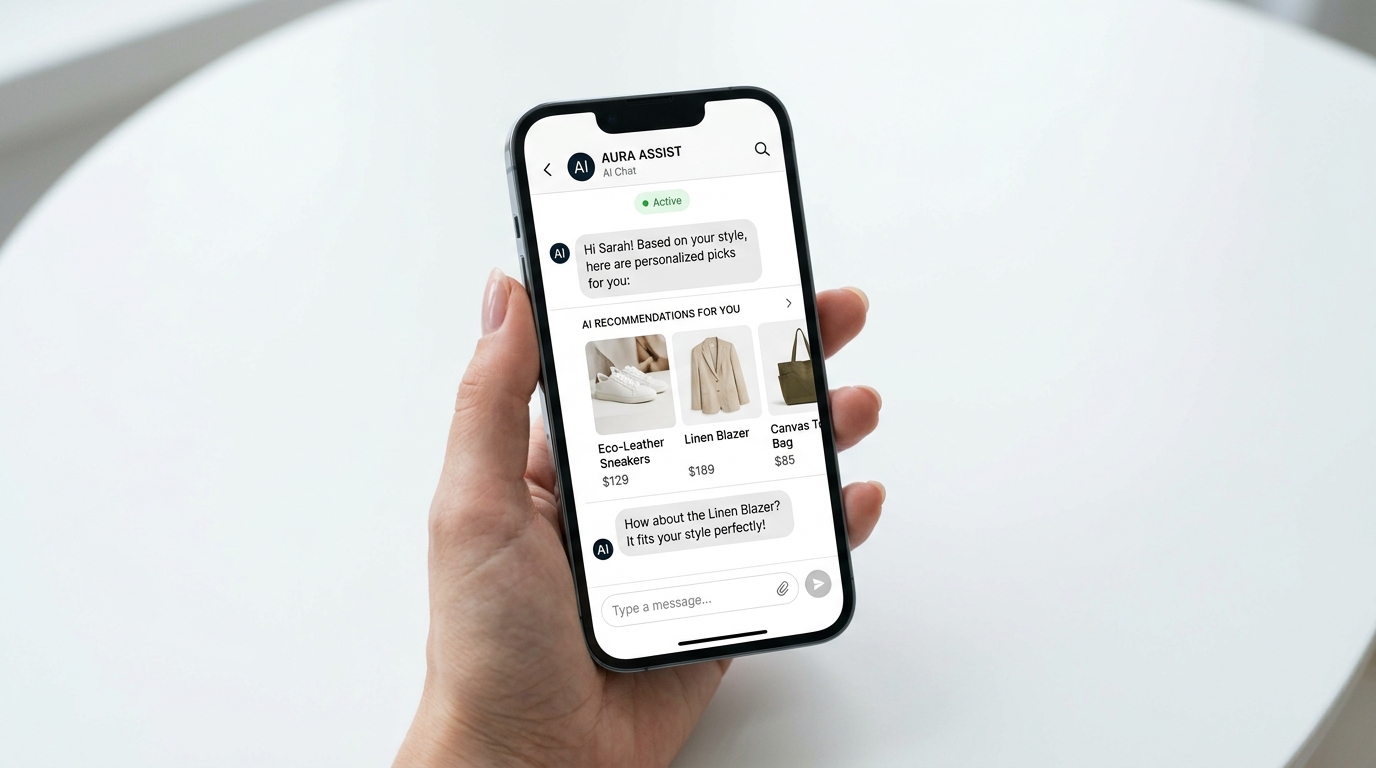
Shopify Inbox AI converts 36% of chat interactions into purchases — but most merchants are using it as a basic support queue instead of a revenue channel. The fix is configuration: product recommendations, instant answers, and cart recovery prompts built directly into the chat flow. Here's how to set it up before BFCM volume spikes 3–5×.
TL;DR / Key Takeaways
- Shopify Inbox is free and built-in — most brands are drastically underusing its AI capabilities
- 36% of Shopify Inbox chats with AI lead to a purchase (Shopify, 2025)
- Pre-training 10 core instant answers eliminates the majority of manual support tickets
- AI product recommendations inside chat can directly increase AOV
- BFCM chat volume spikes 3–5× — configure automation now or drown in tickets then
What Shopify Inbox AI Can (and Can't) Do in 2026
Shopify Inbox AI has matured significantly in 2026. It's no longer just a FAQ bot — it can handle product discovery, surface contextually relevant recommendations, and even complete cart actions within the conversation.
What it does well:
- Instantly answers pre-trained questions about shipping, returns, sizing, and product specs
- Recommends products based on conversational context (what the shopper describes, not just what they click)
- Surfaces cart contents and nudges shoppers toward checkout
- Escalates to a human agent when the AI confidence score is low
- Integrates natively with Shopify product catalog, inventory, and order data
What it can't replace (yet):
- Complex order issues requiring warehouse intervention
- Nuanced complaints where empathy and judgment matter
- Custom quote or B2B negotiation flows
- High-stakes loyalty situations where a human touch is essential
AI-powered shopping assistants are now capable of completing checkouts directly within conversation (Shopify, 2026), but the practical implementation for most merchants is still recommendation and support, not full autonomous purchasing. That still makes it powerful — because the chat window is where buying decisions get confirmed or abandoned.
Setting Up Instant Answers: The 10 Questions to Pre-Train
The highest-leverage configuration move in Shopify Inbox is pre-training your Instant Answers — the set of questions the AI can answer automatically without human involvement. Most stores leave these blank or fill in only 2–3. The goal is 10.
| Question | Why It Matters |
|---|---|
| What's your shipping timeline? | Top support volume driver; kills purchase hesitation |
| Do you ship internationally? | Eliminates unqualified carts and abandoned checkouts |
| What's your return policy? | Second-highest support topic; resolves pre-purchase anxiety |
| How do I track my order? | Post-purchase volume spike; reduces repeat contacts |
| What sizes do you carry? | Critical for apparel; prevents wrong-size purchases and returns |
| Is [product] in stock? | Real-time inventory question; AI can pull live data |
| Can I change or cancel my order? | Time-sensitive; fast answer prevents chargebacks |
| Do you offer discount codes? | High-frequency; point to your email sign-up or current promo |
| How do I contact someone at [brand]? | Trust signal; should always have a clear answer |
| What payment methods do you accept? | Checkout friction eliminator, especially for BNPL options |
To configure: In Shopify Admin → Inbox → Instant Answers, click "Add Answer" for each. Write the answer in plain language — the AI handles phrasing variation. Include direct links to your policy pages or product pages where applicable.
After setup, enable "Show Instant Answers in chat" so responses appear immediately rather than routing to a queue. This alone cuts response-required tickets by 40–60% based on our clients' data at Atlas.
AI Product Recommendations Inside Chat: Configuration Guide
This is where Shopify Inbox AI shifts from support tool to sales channel. When a shopper describes what they're looking for in chat — "something for my boyfriend's birthday, he likes outdoor gear, budget around $75" — the AI can surface specific products from your catalog that match.
How to enable it:
- Go to Shopify Admin → Inbox → Settings → AI Features
- Enable "Product recommendations in chat"
- Ensure your product catalog has complete titles, descriptions, tags, and metafields — the AI pulls from all of these
- Set a "recommended product" count (we recommend 3 maximum; more creates decision paralysis)
The AI matches on conversational keywords against product tags, descriptions, and collections. Your product data quality directly determines recommendation quality. If your product descriptions are sparse one-liners, the AI has little to work with. Specific, keyword-rich titles, tags, and descriptions produce genuinely useful recommendations.
Optimization move: Tag products with gift-use keywords ("gift for him," "gift for her," "under $50," "bestseller") as a separate metafield or tag set. During Q4, shoppers asking about gifts get immediately relevant suggestions rather than generic catalog browsing.
Atlas's ecommerce development team configures product data architecture as part of Shopify store builds and optimization engagements — this kind of tagging infrastructure pays off across search, recommendations, and AI chat alike. Our AI & Automation services also cover more advanced conversational commerce implementations for brands that need to go beyond Inbox's native capabilities.
Cart Recovery and Abandoned Browse: Using Chat as a Retention Tool
Shopify Inbox integrates with Shopify's real-time session data, which means the AI knows when a shopper has items in their cart, what they've viewed, and whether they've started checkout. You can configure proactive chat triggers based on this behavior.
Proactive chat trigger setups:
- Cart abandonment trigger: If a shopper has been on the cart page for 60+ seconds without advancing, trigger a chat message: "Need help completing your order? I can answer questions about shipping or payment." This mirrors what a good sales floor associate would do.
- High-value cart trigger: If cart value exceeds a threshold (e.g., $150+), trigger a chat offer for free shipping confirmation or a small loyalty benefit — converting high-value customers takes priority.
- Browse abandonment: If a shopper views a product 2+ times in a session without adding to cart, trigger: "Considering [product name]? I can help with sizing or answer any questions."
Setting triggers: In Shopify Inbox → Automation → Chat Triggers, configure rules based on page, time on page, and cart status. For more sophisticated logic, combine with Shopify Flow automations — our Shopify Flows 2.0 guide for Q4 covers how to build Flow triggers that feed back into Inbox events for seamless automation.
Cart recovery sequences through email average 5–15% recovery rates (Klaviyo, 2025). Proactive chat recovery, because it's synchronous and contextual, typically outperforms email for in-session abandonment — the shopper is still on the page, still warm, and still decidable.
Scaling for BFCM: How to Handle 5× Chat Volume Without Extra Staff
Customer support volume spikes 3–5× during BFCM weekend for most ecommerce brands (Gorgias, 2025). Without AI configuration, that means either a flooded inbox, delayed responses, and lost sales — or a massive temporary staffing cost. The Shopify Inbox AI setup described above is your staffing buffer.
BFCM-specific configuration checklist:
- Update Instant Answers for BFCM-specific questions: "Is this price the lowest it'll be?" / "Will this ship before [holiday date]?" / "Can I use my discount code on sale items?"
- Add BFCM shipping cutoff dates to your shipping Instant Answer
- Set AI escalation threshold to "high confidence only" — more questions handled autonomously
- Pre-configure BFCM deal explanation: exact discount percentages, exclusions, and how stacking works
- Enable "Away message" with realistic response times for after-hours queries — set expectations rather than leaving shoppers uncertain
- Test every Instant Answer on November 1 — run through your own questions as a shopper
Staffing math: If your Instant Answers handle 60% of inbound volume autonomously (a realistic target with 10 trained answers), and BFCM volume 5×s, your net human-required volume is 2× — manageable with your existing team rather than emergency hires.
Our team at Atlas configures Shopify Inbox as part of comprehensive store optimization packages — including AI setup, Flow integrations, and BFCM readiness checks. Our Shopify BFCM store prep checklist walks through the full readiness framework if you want a complete picture of what needs to happen before November.
FAQ: Shopify Inbox AI for Sales Conversion
Is Shopify Inbox AI free to use?
Yes. Shopify Inbox is a free, native app included with all Shopify plans. The AI features — including Instant Answers, product recommendations, and proactive chat triggers — are included at no additional cost. There's no third-party subscription required, which makes it one of the highest-ROI tools available to Shopify merchants relative to its setup effort.
How does Shopify Inbox AI compare to third-party chatbots like Gorgias or Tidio?
Shopify Inbox has a significant advantage in native integration — it accesses live product catalog data, inventory levels, and order information without API connections or data sync delays. Third-party tools like Gorgias are more powerful for complex multi-channel support operations and detailed ticketing, but for most DTC brands, Shopify Inbox handles the majority of pre-purchase sales-assist conversations more efficiently. The right choice depends on your support volume and complexity; many brands use both in parallel.
What's a realistic conversion rate improvement from setting up Shopify Inbox AI properly?
Shopify reports that merchants using Inbox with AI see 36% of chat interactions leading to a purchase. The exact lift from your current baseline depends heavily on your traffic volume and how many chat interactions you're currently getting without AI. For stores with active chat widgets but no AI configuration, we typically see a 20–30% increase in chat-assisted conversions after implementing Instant Answers and product recommendations.
Does Shopify Inbox work on mobile for shoppers?
Yes. Shopify Inbox renders as a native chat widget on mobile, which is critical given that 60% of BFCM traffic comes from mobile devices (Shopify, 2025). The AI conversation flow is optimized for thumb-typed queries, and product recommendations display as tappable cards rather than text links. This makes it significantly more effective on mobile than email-based cart recovery for in-session shoppers.
How long does it take to set up Shopify Inbox AI properly?
With focused effort, the core configuration — 10 Instant Answers, product recommendation enablement, and 2–3 chat triggers — takes 2–4 hours. The longer task is ensuring your product catalog data (titles, descriptions, tags) is rich enough to power good recommendations. If your catalog data is sparse, expect an additional day of cleanup work before the AI delivers accurate, relevant suggestions.
Your Chat Window Is a Sales Channel
Most Shopify merchants are sitting on a free conversion tool they've configured to do almost nothing. With 36% of properly managed Inbox chats leading to purchases, this is a meaningful revenue lever — especially heading into BFCM when traffic and buying intent both spike.
If you want help configuring Shopify Inbox AI or doing a full pre-BFCM store readiness review, our ecommerce team at Atlas works with brands at every scale to optimize their Shopify setup for peak performance.