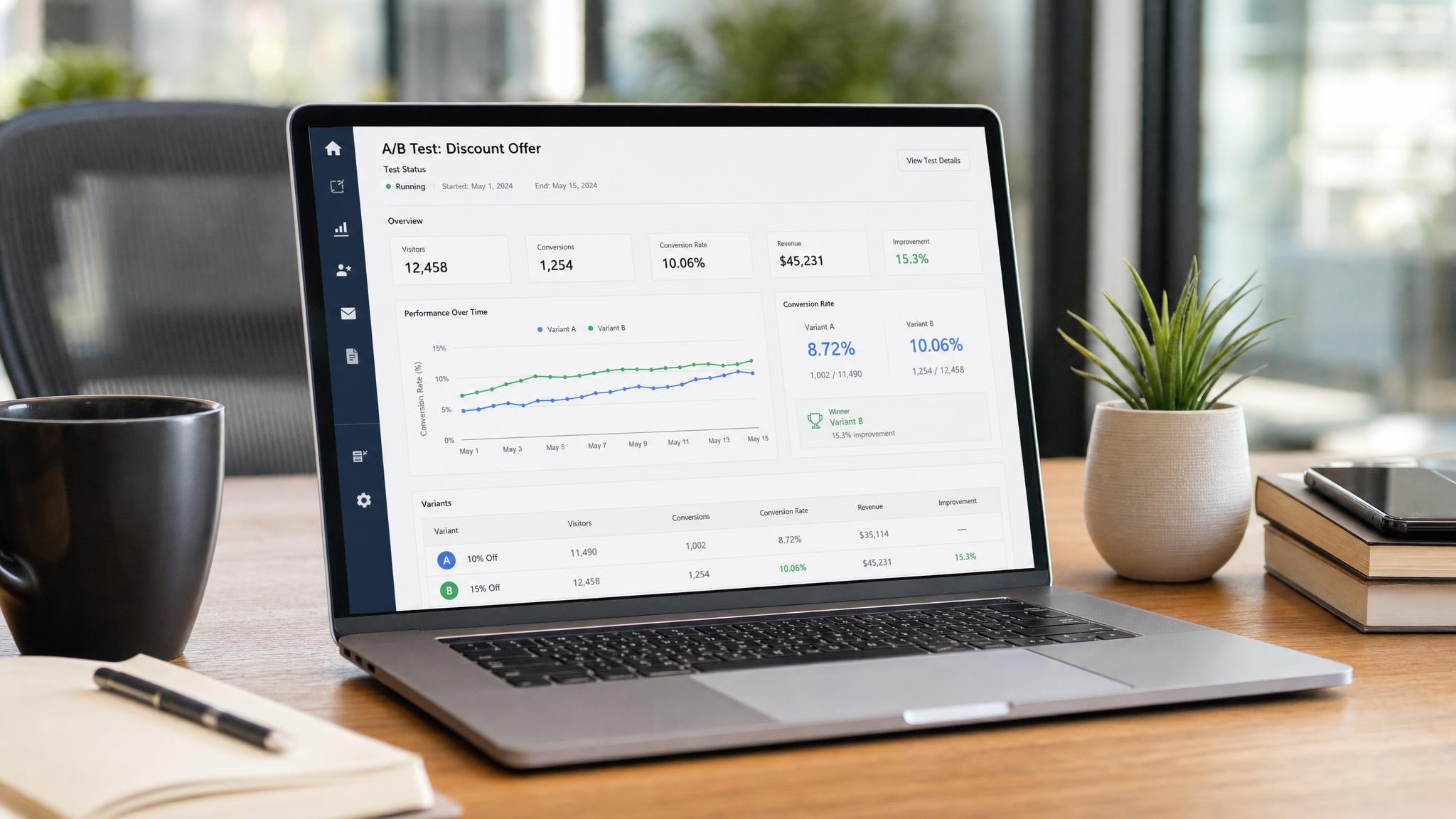
Shopify Rollouts: A/B Test Discounts for BFCM
Shopify Rollouts discount A/B testing lets you pit discount structures against each other — 20% off vs. $30 off vs. free shipping — and measure conversion impact before Black Friday. Shopify added this capability to the Rollouts feature on October 2, 2026, and brands that start testing now will have statistically significant data before BFCM arrives. Those who don't will be guessing, same as last year.
What Is Shopify Rollouts? (And Why It Just Got More Powerful)
Shopify Rollouts is a built-in experimentation tool that lets you test changes to your storefront before rolling them out store-wide. Originally designed for theme and UX changes — testing a new product page layout, a different CTA button, a redesigned checkout — Rollouts now supports discount structure testing as of October 2, 2026.
That's a significant addition. Until now, merchants who wanted to test discount offers had to run informal split tests by toggling promotions manually or relying on third-party tools that didn't connect cleanly to Shopify's native discount engine. Rollouts changes this: you can test discount structures natively, with Shopify's analytics measuring the outcome.
Why it matters for BFCM: Most brands run the same offer they ran last year, or they copy what competitors do. Neither approach is data-driven. According to NRF's 2026 holiday survey, 46% of holiday shoppers plan to start buying before November — meaning your discount offer needs to be locked and loaded well before Black Friday. Shopify Rollouts gives you a controlled mechanism to find the offer that actually converts your specific customer base with time to spare.
How Discount A/B Testing Works in Rollouts
Rollouts uses a traffic-splitting model. You define two or more variants — each with a different discount configuration — and Shopify randomly assigns incoming visitors to each variant. Results are tracked in real time inside Shopify Analytics.
For discount testing specifically, each variant applies a different discount rule to the same product set. Shopify's system ensures a visitor consistently sees the same variant across sessions, which keeps the test clean and prevents confusing customer experiences.
What you can test:
| Discount Type | Example | Best For |
|---|---|---|
| Percentage off | 20% off sitewide | Lower AOV brands, first-time buyers |
| Fixed dollar off | $30 off orders over $150 | Higher AOV brands, incumbent customers |
| Free shipping | Free shipping on all orders | Brands with high abandonment at checkout |
| BOGO | Buy 2 get 1 free | High-margin, replenishable products |
| Tiered discount | 15% off $100 / 25% off $200+ | Brands pushing AOV above natural threshold |
The key metric Rollouts surfaces is conversion rate by variant, but you should also track average order value (AOV) and revenue per session. A higher-converting offer that tanks AOV may not win on revenue — which is the metric that actually matters.
Setting Up Your BFCM Discount Test: Step-by-Step
Step 1: Define your hypothesis. Before touching Shopify, decide what you're testing and why. Example: "We believe $30 off will outperform 20% off for orders over $150 because our average order is $175 and fixed dollar discounts feel more concrete to our customers."
Step 2: Access Rollouts. In your Shopify admin, navigate to Online Store → Themes → Rollouts. If you don't see it, confirm your plan includes Rollouts access (available on Shopify and Shopify Plus plans).
Step 3: Create a new experiment. Select "New experiment" and choose "Discount" as the experiment type. Name it clearly — e.g., "BFCM Discount Test — Oct 2026."
Step 4: Configure your variants. Set Variant A as your control (the incumbent or default offer) and Variant B as the challenger. Start with a 50/50 traffic split unless you have a specific reason to protect a known-performing offer.
Step 5: Set the test window. For BFCM planning, you need at least 2–3 weeks of runtime to reach statistical significance on a typical Shopify store. Starting now gives you a results-ready window before BFCM launch — enough runway to pick a winner and brief your campaign team.
Step 6: Define your success metric. Conversion rate is the default, but designate revenue per session as your north-star metric. Track both in Shopify Analytics and a simple spreadsheet.
Which Discount Structures to Test Against Each Other
Not all discount head-to-heads are equally useful. Here's how to choose pairings that generate actionable data.
Percentage off vs. fixed dollar off. Research consistently shows fixed dollar discounts feel more concrete at higher price points. "$30 off" on a $150 order is mathematically equivalent to "20% off" — but "$30 off" tends to win when the order value is above roughly $100 because the dollar amount is tangible. This assumption is worth testing against your own customer base; results vary by category and average order value. The right offer framing alone can increase conversion rate by 15–30% (CRO industry benchmarks).
Free shipping vs. percentage off. Free shipping is the most-cited abandonment reducer in checkout research. If your brand charges for shipping, testing free shipping against a percentage discount is high-leverage. Many brands find free shipping wins on conversion rate but loses on AOV — worth knowing before committing it as your BFCM anchor offer.
Flat discount vs. tiered discount. Tiered discounts ("15% off $100 / 25% off $200+") are harder to communicate but can lift AOV significantly when thresholds are set correctly. If your current BFCM plan is a flat offer, test a tiered alternative — the AOV lift can offset a lower conversion rate.
What not to test simultaneously: Don't run a discount test at the same time as a major UX change. Isolate the variable being tested. If you're also doing a Shopify BFCM store prep audit (theme changes, speed work, checkout updates), sequence those before starting your Rollouts experiment — or run the discount test on a stable theme variant.
How to Read the Results and Pick a Winner Before BFCM
Statistical significance first. Shopify Rollouts shows a confidence indicator for your experiment. Don't call a winner until you've reached at least 95% confidence. Running a test for 48 hours and declaring a winner because one variant is ahead is how brands make the wrong call under BFCM deadline pressure.
| Metric | Why It Matters | Weight in Decision |
|---|---|---|
| Conversion rate | Did more visitors buy? | Primary |
| Average order value (AOV) | Did the offer pull orders up or down? | Primary |
| Revenue per session | Combined: conversion rate × AOV | North-star / tiebreaker |
| Return rate (post-BFCM) | Some offers attract low-quality orders | Lagging indicator — check after |
Revenue per session = conversion rate × AOV. Use this as your deciding metric. A variant that converts 5% better but reduces AOV by 15% is a net negative — the math doesn't work in your favor.
If results are inconclusive: Two variants can be statistically tied — within margin of error even at high confidence. In that case, default to the offer with higher AOV, then layer in a secondary criterion: ease of communication in ad creative, alignment with brand positioning, or margin protection.
Common Mistakes Brands Make With Discount Testing
Ending the test too early. The variant that's ahead after day 3 is not the winner. Early noise can mislead. Commit to the full test window before drawing conclusions.
Testing too many variants at once. More variants require more traffic to reach significance. Run two variants (A vs. B) before adding a third. If you have strong Q4 traffic volume, three variants is workable — but don't over-complicate it.
Ignoring offer clarity in creative. A discount that wins in a test can underperform in a campaign if it's hard to communicate in ad creative. "$30 off your order over $150" is harder to put on a banner than "20% off everything." Factor creative simplicity into your final call — your media buyer needs to be able to execute it efficiently across Meta, Google, and email.
Not testing early enough. With 5 weeks until BFCM from today, there's still time — but barely. Brands that start this test in November are running blind, and the data won't be ready to inform anything. The urgency is real.
Treating the test result as universal. Your Rollouts test runs on your current traffic mix, which skews toward existing customers and brand-aware visitors. BFCM will bring colder, less familiar shoppers. The winning offer may need to communicate more explicitly for first-time buyers — especially in ad copy and landing page framing. For deeper BFCM strategy, our guide to Shopify BFCM store prep covers the full pre-holiday checklist, including checkout optimization that compounds with your discount testing results.
If cart abandonment is part of your concern, consider that your discount test results will also inform how you configure cart abandonment recovery flows — the winning offer can double as your recovery hook in email and SMS.
FAQ: Shopify Rollouts Discount Testing for BFCM
Does Shopify Rollouts cost extra?
Shopify Rollouts is included on Shopify and Shopify Plus plans — no additional fee. You access it directly within your Shopify admin under Online Store → Themes → Rollouts. There's no separate subscription required to run discount experiments.
How much traffic do I need to run a valid test?
As a rough benchmark, you need at least 200–300 conversions per variant to approach statistical significance. If your store converts at 2% and you split traffic 50/50, you'd need roughly 20,000–30,000 visitors total to get reliable data. Smaller stores can still run the test but may need a longer window or should accept a lower confidence threshold while weighting AOV and revenue per session more heavily in their decision.
Can I test discounts on specific products or collections only?
Yes — Rollouts lets you scope experiments to specific products, collections, or traffic sources. For BFCM testing, you can limit the experiment to your top-selling collections rather than applying it sitewide, which focuses your data on the products most likely to drive holiday volume and keeps the test cleaner.
What happens if one variant is clearly hurting conversion — can I stop early?
Yes. If one variant is performing significantly worse and the gap is widening rather than narrowing with more traffic, ending the test early is reasonable. Shopify Rollouts allows you to stop an experiment at any point. The key is distinguishing early noise from a genuine underperformer — wait at least 7 days before making a stop decision based on negative results.
How do I share the results with my team?
Shopify Analytics surfaces the Rollouts data in your standard reports view, exportable as a CSV. For BFCM planning, we recommend a simple shared dashboard tracking conversion rate, AOV, and revenue per session by variant — easy to share with your media buyer, email team, and creative leads so everyone aligns on the winning offer before campaign production starts.
Run the Right Offer This BFCM — With Data Behind It
BFCM is too high-stakes to run on gut instinct. Shopify Rollouts gives you the mechanism to test your discount strategy before you need it. Start the test this week, run it through early November, and walk into Black Friday with a winning offer you've already proven against real traffic.
If you want help configuring Rollouts, building your BFCM campaign architecture, or auditing your Shopify store before the holiday rush, our Shopify development team is the right next step.