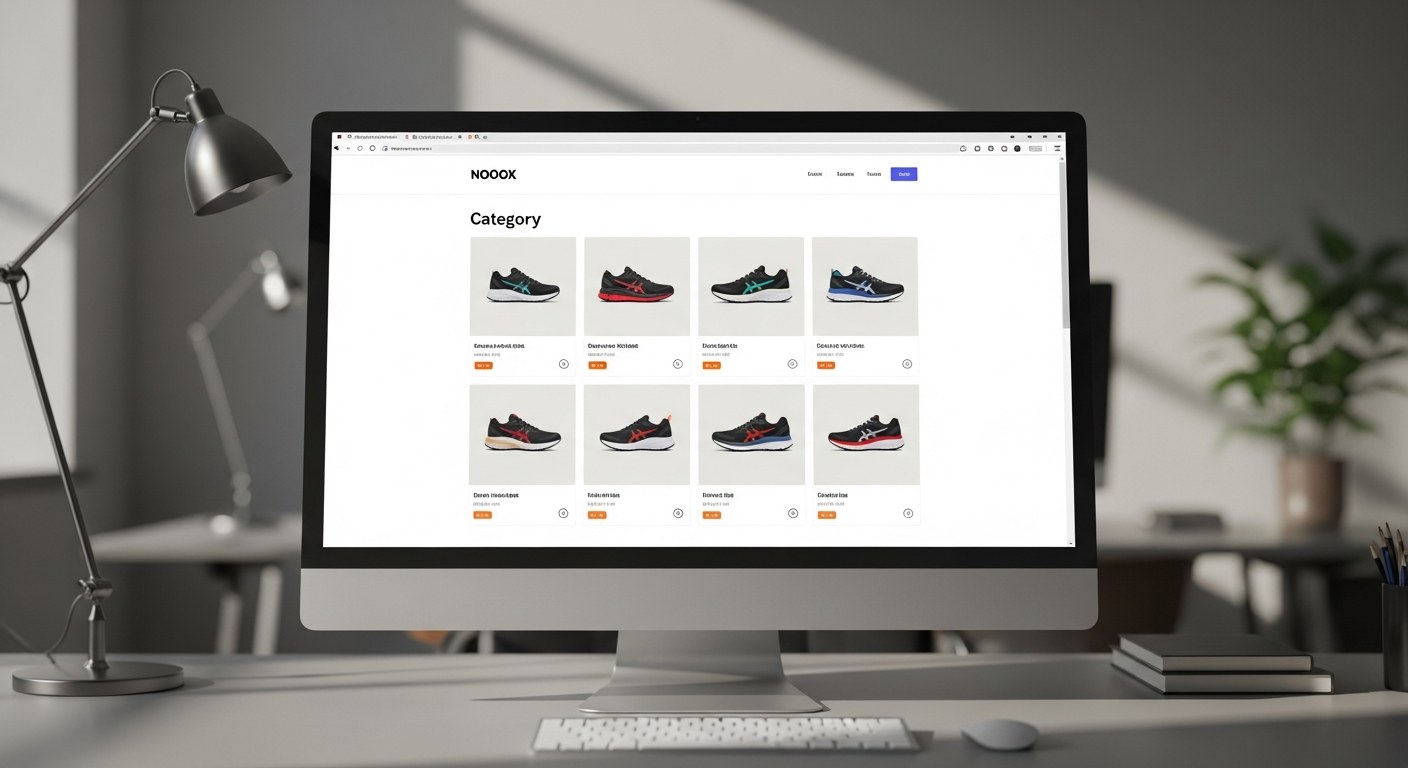
Ecommerce category page SEO is one of the highest-ROI investments a Shopify brand can make — yet most stores treat collection pages as little more than product grids. Category pages rank for high-volume, commercial-intent keywords like "women's running shoes" or "organic dog food" that drive consistent, scalable organic traffic. In 2026, they've also become the primary target for Google AI Overview placement on shopping category queries, creating a massive first-mover advantage for brands that act now.
Table of Contents
- Why Category Pages Are the Most Valuable SEO Assets in Ecommerce
- The 5 Problems That Kill Category Page Rankings
- Content Strategy for Category Pages: How Much, What Kind, and Where
- Schema Markup for Collection Pages: BreadcrumbList and ItemList
- Faceted Navigation and Shopify Filters: How to Avoid the Duplicate Content Trap
- Internal Linking From Category Pages: The Architecture Play
- Category Pages and AI Search: How to Win Google AI Overview Placement
- How to Audit Your Category Pages Right Now (The 10-Minute Check)
- How Atlas Optimizes Shopify Collection Pages for Organic Traffic
- FAQ
Key Takeaways
- Category pages rank for broader, higher-volume keywords than product pages and typically drive more revenue per page
- Thin content, missing schema, and faceted navigation issues are the three most common ranking killers
- BreadcrumbList and ItemList schema now directly improve AI Overview citation eligibility
- A 10-minute audit can identify the highest-impact fixes in your current collection pages
- Faceted navigation requires strategic canonicalization — unmanaged filters create duplicate content at scale
Why Category Pages Are the Most Valuable SEO Assets in Ecommerce
Most Shopify brands optimize their homepage and product pages. Their category pages get a title tag change and a product grid — and that's it.
That's a significant missed opportunity. Category pages typically rank for broad commercial-intent keywords that individual product pages can't compete for. A product page for a specific shoe model in a specific size has a tiny audience. A category page for "women's running shoes" has millions of monthly searches — and every visitor on that query is actively shopping.
According to CommercePundit's 2026 ecommerce SEO data, category pages represent the highest-traffic-per-page opportunity in the entire site architecture for the majority of ecommerce stores. They sit at the top of the purchase funnel for category-level intent and convert visitors who are still deciding what to buy — a segment that's often larger than the audience for specific product searches.
The math is straightforward: a category page that ranks on page one for a 10,000-monthly-search keyword drives more qualified traffic per month than 50 product pages ranking for long-tail terms with 200 searches each.
In 2026, there's a second reason category pages matter more than ever: Google AI Overviews now appear on category-level shopping queries. Brands with well-structured, content-rich category pages are being cited directly in AI Overviews — effectively getting featured placement above the organic results. That's a traffic opportunity most competitors haven't moved on yet.
The 5 Problems That Kill Category Page Rankings
Before fixing anything, it helps to understand why most category pages underperform. These are the five issues we see most consistently across Shopify audits:
1. Thin or missing content. The default Shopify collection page has a title, a product grid, and maybe a one-sentence description. That's not enough for Google to understand what the page is about, assess its authority, or determine whether it answers a searcher's query. Pages with under 300 words of unique content rarely compete for high-volume category keywords.
2. No schema markup. Most Shopify themes don't add BreadcrumbList or ItemList schema to collection pages out of the box. Without structured data, Google has less context about the page's role in your site hierarchy and less reason to surface it in rich results or AI Overviews.
3. Faceted navigation creating duplicate URLs. Shopify's built-in filter functionality generates URLs with parameters like ?filter.p.m.color=blue&sort_by=price-asc. Without proper canonicalization or noindex directives, these create dozens or hundreds of near-duplicate pages that dilute crawl budget and split ranking signals.
4. Poor internal linking. Category pages rarely receive enough internal links from other parts of the site, and they rarely link strategically to subcategories or related product clusters. Internal links are a core PageRank distribution mechanism — category pages that aren't well-linked internally rank below their potential.
5. Ignoring user intent. A category page for "leather handbags" isn't just a product filter — it's a shopping destination. Pages that don't include buying guidance, comparison context, or decision-making support miss the informational element of category search intent that Google increasingly rewards.
Content Strategy for Category Pages: How Much, What Kind, and Where
The content question on category pages comes down to three things: how much, what kind, and where to put it.
How much: The practical floor for competitive category pages in 2026 is 300–600 words of unique, useful content. For high-competition categories — "running shoes," "organic skincare," "standing desks" — you'll need 700–1,200 words to compete. The goal isn't to pad; it's to give Google enough signal and give shoppers enough context.
What kind: Category page content should answer the questions shoppers ask before they filter to a product. What should I look for in this category? What are the differences between subcategories? What's the typical price range? What are the key features that matter? This isn't product copy — it's buying guidance.
One proven structure:
- Opening paragraph (2–3 sentences): State what the category contains and its key value proposition. Include the primary keyword naturally.
- Buying guide section (3–5 paragraphs or bullets): Cover the key decision factors in this category. This is where you build topical authority.
- Subcategory callouts (optional): If you have meaningful subcategories, surface them with brief descriptions and links.
- Closing paragraph: A brief statement about your selection, curation philosophy, or brand standards — builds E-E-A-T.
Where to put it: Most Shopify themes place category content either above the product grid (above-the-fold) or below it. For SEO, content below the grid is fine — Google indexes it regardless of position. For UX, most shoppers prefer to see products immediately, with buying guidance available for those who want it. A hybrid approach works well: 1–2 introductory sentences above the grid, with the full content block below.
| Approach | Shopper Experience | SEO Benefit | Recommended |
|---|---|---|---|
| All content above grid | Frustrating — products buried | Good | No |
| Short intro above, full content below | Clean grid-first UX | Good | Yes ✓ |
| All content below grid | Immediate product access | Good | Yes ✓ |
| No content at all | Fast product access | Poor | No |
Schema Markup for Collection Pages: BreadcrumbList and ItemList
Schema markup on category pages does two jobs: it helps Google understand your site's structure, and it signals to AI systems that your page is a curated, authoritative resource on a topic. For product-level structured data — where attributes like material, certifications, and specifications feed Google's AI discovery layer — see our guide on Shopify Metafields for SEO and product data.
BreadcrumbList schema tells search engines exactly where this page sits in your site hierarchy. For a category page like /collections/womens-running-shoes, the breadcrumb trail is Home → Running → Women's Running Shoes. When implemented as structured data, this improves how Google surfaces the page in rich results and contributes to the entity understanding that AI Overviews use to evaluate relevance.
ItemList schema marks up the products shown on the category page as a structured list. This is particularly valuable for AI search: it allows AI systems to understand that this page contains a curated selection of products in a specific category, which is exactly the signal needed for AI Overview citation eligibility.
According to Google Search Central's 2026 documentation, implementing BreadcrumbList and ItemList schema on category pages improves search engine understanding of site architecture and increases eligibility for rich results. Analyticahouse's 2026 research confirms that brands with structured, content-rich category pages with correct schema are already gaining early AI Overview citation visibility on category-level shopping queries.
On Shopify, schema markup can be added via theme customization or a structured data app. For brands running technical SEO through Atlas, we implement this at the theme level to ensure it applies site-wide without relying on app dependencies.
Faceted Navigation and Shopify Filters: How to Avoid the Duplicate Content Trap
Shopify's native filtering (storefront filters / Search & Discovery app) creates URL parameters for every filter combination a shopper selects. A single category page with 5 color options, 4 size options, and 3 sort orders generates hundreds of parameter combinations — each one a unique URL that Google can crawl and index.
Without intervention, this creates three problems:
- Crawl budget waste. Google crawls filtered URLs instead of spending that budget on new or updated canonical pages.
- Duplicate content. Filtered pages share most of their content with the canonical category page, splitting ranking signals.
- Thin-page indexation. Google may index filtered pages as thin content, triggering quality signals that affect the whole domain.
The fix has two components:
Canonicalization: Add a canonical tag to filtered URLs pointing back to the base category page. This consolidates link equity and tells Google which URL to rank. In Shopify, this requires either theme-level canonical tag logic or a specific SEO app that handles parameter canonicalization.
Selective noindex: For filter combinations that create truly valueless pages — such as a sort-by-price URL with no content differentiation — add a noindex meta tag. This prevents Google from indexing the page without blocking crawling entirely.
What to keep indexed: Some faceted combinations have genuine search demand and deserve to rank. Color + category combinations often do — /collections/womens-shoes?filter.p.m.color=black might correspond to real searches for "black women's shoes." Identify these with keyword research before noindexing aggressively.
According to DigitalApplied's 2026 technical SEO analysis, faceted navigation on collection pages can create thousands of duplicate URLs and crawl budget waste. Strategic canonicalization and selective noindex directives are required to protect SEO performance at scale.
Internal Linking From Category Pages: The Architecture Play
Internal linking is one of the most underused SEO levers in ecommerce. Category pages sit at a critical junction in the site architecture — they receive links from navigation and homepage, and they link down to product pages. But most brands stop there.
The full internal linking strategy for category pages has three directions:
Links into category pages (incoming): Every category page should receive links from the homepage (featured collections), the blog (contextual links from relevant posts), and other related category pages. Each incoming link passes PageRank and reinforces the page's topical relevance. If your blog isn't yet set up to support this linking architecture, a proper Shopify blog SEO strategy is the right starting point — it determines which topics to write about and how to route that traffic toward commercial pages.
Links from category pages to subcategories: If you have a top-level "Running Shoes" category with subcategories for Women's, Men's, and Trail, the top-level page should link to each subcategory with descriptive anchor text. This distributes PageRank downward and helps Google understand the category hierarchy.
Links from category pages to related content: Category pages that link to relevant blog posts — buying guides, comparison articles, how-to content — create topical clusters that strengthen the entire section's authority. A "Women's Running Shoes" category page that links to "How to Choose Running Shoes: A Buyer's Guide" signals topical depth to Google.
For our clients' Shopify stores, we structure internal linking as part of site architecture work — not as an afterthought. The brands that invest in internal linking infrastructure consistently outperform comparable stores that rely on product pages alone.
Category Pages and AI Search: How to Win Google AI Overview Placement
Google AI Overviews now appear on a significant portion of category-level shopping queries — and the brands showing up there aren't just the biggest brands. They're the brands with the best-structured pages.
AI systems evaluate category pages differently than traditional Google. Where traditional search rewards keyword density and backlink authority, AI Overviews look for:
- Clear, direct content that answers the category-level query ("what to look for in X") within the first 200 words
- Structured data (BreadcrumbList, ItemList) that confirms the page is a legitimate product category resource
- E-E-A-T signals — author expertise, brand credibility, content depth
- Factual accuracy — claims supported by data or linked to authoritative sources
The practical implication: your category page content should be written like you're answering a shopper's question, not just describing products. "Women's running shoes built for cushioning, stability, and long-distance training — with options from $85 to $180 across neutral and motion-control categories" is more AI-citable than "Shop our collection of women's running shoes."
Analyticahouse's 2026 data confirms that brands with structured, content-rich category pages with correct schema are gaining early AI Overview citation visibility. The window to move first on this is open — most competitors haven't connected the category page SEO dots to GEO strategy yet.
For a deeper dive into Generative Engine Optimization for Shopify, our guide on Shopify SEO in the AI era covers the full GEO framework. For structured data fundamentals, see our ecommerce product page schema markup playbook.
How to Audit Your Category Pages Right Now (The 10-Minute Check)
You don't need a full technical SEO engagement to identify your biggest category page problems. Here's a 10-minute audit that surfaces the highest-impact issues:
Step 1: Pick your 5 highest-traffic category pages. Use Google Analytics or Shopify Analytics to identify which collection pages drive the most sessions.
Step 2: Check content length. Open each page, right-click → "View Page Source," and search for the main content area. Less than 200 words of unique content = fix immediately.
Step 3: Inspect schema. Paste each URL into Google's Rich Results Test (search.google.com/test/rich-results). Check whether BreadcrumbList and/or ItemList schema is present. Missing schema = high priority fix.
Step 4: Check indexed URLs. In Google Search Console, go to Index → Pages and filter by your category URL path. Look for filtered parameter URLs in the index. More than 20% of indexed pages being parameter variants = faceted navigation issue.
Step 5: Check internal link count. Use Google Search Console → Links → Internal Links and look at each category page. Pages with fewer than 10 incoming internal links are likely underperforming their potential.
Step 6: Check title tags and meta descriptions. Each category page should have a unique, keyword-rich title tag under 60 characters and a meta description under 155 characters. Generic titles like "Shop All" or "Products" are an immediate fix.
| Audit Check | Tool | Fix Priority |
|---|---|---|
| Content under 200 words | View Source | High |
| Missing schema | Rich Results Test | High |
| Parameter URLs indexed | Search Console | High |
| Fewer than 10 internal links | Search Console | Medium |
| Generic title tags | Search Console | High |
| No meta description | Search Console | Medium |
How Atlas Optimizes Shopify Collection Pages for Organic Traffic
Our ecommerce SEO and Shopify development services include full category page optimization as part of technical SEO engagements. We work through a structured process:
- Category architecture audit — map all collection pages, assess current traffic, identify keyword gaps between existing category structure and actual search demand.
- Schema implementation — add BreadcrumbList and ItemList schema at the theme level, ensuring it applies across all collection pages without per-page manual work.
- Content development — write buying-guide content for priority category pages, optimized for both traditional search ranking and AI citation eligibility.
- Faceted navigation management — configure canonical tags and noindex rules for filter combinations based on search demand analysis.
- Internal linking build-out — create systematic internal linking from blog content, homepage, and related category pages to target collection pages.
The brands that invest in category page SEO consistently see it become their highest-ROI organic channel within 90–120 days. Category keywords are competitive but winnable — and once you rank, the traffic compounds.
If your Shopify store has solid product pages but flat organic traffic, your category pages are almost certainly the bottleneck. Our performance marketing and SEO team can run a full audit and show you exactly what's holding the rankings back.
FAQ
How much content does a Shopify category page actually need to rank?
The practical minimum for competitive category keywords in 2026 is 300–600 words of unique, useful content — focused on buying guidance rather than generic descriptions. For high-competition categories like "running shoes" or "office chairs," you'll typically need 700–1,200 words to outcompete well-optimized competitors. The key is quality over quantity: content that genuinely helps shoppers make decisions will outperform padded content at any word count. Google has become increasingly capable of distinguishing substantive buying guidance from filler, and AI systems favor pages with direct, factual answers.
Does Shopify's default theme handle category page SEO well?
Shopify's default themes (Dawn, Sense, Craft) handle basic SEO reasonably well — title tags, meta descriptions, and canonical tags are in place. But they fall short on two critical areas: schema markup and content structure. Out-of-the-box Shopify themes don't add BreadcrumbList or ItemList schema to collection pages, and they provide no content blocks for buying guidance. These gaps require either theme customization, a structured data app, or a full SEO implementation. Relying on default theme SEO is sufficient for basic functionality but leaves significant ranking potential on the table.
How do I handle Shopify's filter URLs without hurting SEO?
The safest approach is to add canonical tags on all filtered URLs pointing back to the base category page, combined with selective noindex for filter combinations with no genuine search demand. Shopify's Search & Discovery app generates filter parameters by default but doesn't automatically canonicalize them. You'll need either a theme-level canonical tag solution or a technical SEO app that handles parameter management. Before adding noindex to any filter combinations, check search demand — some color/size combinations have real search volume and deserve to rank independently. A full faceted navigation audit is typically warranted for stores with more than 50 collection pages.
What's the difference between category page SEO and product page SEO?
Category pages target broad, high-volume, commercial-intent keywords: "men's hiking boots," "standing desk," "baby monitors." Product pages target specific, long-tail queries tied to a particular model, size, or color. Category pages require more content volume, stronger schema implementation, and better internal linking authority to rank — but they drive significantly more traffic per page when they do rank. Product pages are easier to rank for but individually lower-volume. A strong ecommerce SEO strategy invests in both, with category pages as the primary traffic driver.
How long does it take to see results from category page SEO improvements?
Category page SEO improvements typically show measurable ranking movement within 6–10 weeks for mid-competition keywords, and 3–6 months for highly competitive categories. Schema changes tend to surface in rich results within 2–4 weeks after Google recrawls the page. Content additions show ranking impact faster than they show traffic impact — expect ranking improvements first, with traffic growth following as rankings consolidate to page one. The full compound effect (rankings → traffic → revenue) is typically visible on a 90–120 day timeline for brands with existing domain authority above DR 30. Building that domain authority requires a consistent off-page strategy — our guide on ecommerce link building in 2026 covers what actually works for online stores: digital PR, proprietary data assets, and partnership links.
Ready to unlock your category page revenue?
Atlas runs full-funnel Shopify SEO audits that identify the highest-impact fixes across your collection architecture, schema, and internal linking. Find out exactly what's holding your rankings back.
See How Our Ecommerce SEO Drives Organic Revenue →